| id | samples-mysql | ||||||||
|---|---|---|---|---|---|---|---|---|---|
| title | Mux MySQL Sample Application | ||||||||
| sidebar_label | Mux + MySQL | ||||||||
| description | The following sample app showcases how to use Mux framework and the Keploy Platform. | ||||||||
| tags |
|
||||||||
| keywords |
|
import InstallReminder from '@site/src/components/InstallReminder'; import SectionDivider from '@site/src/components/SectionDivider'; import ProductTier from '@site/src/components/ProductTier';
A sample url shortener app to test Keploy integration capabilities using Mux and MySQL.
git clone https://github.com/keploy/samples-go.git && cd samples-go/mux-mysql
go mod download
We will be using Docker compose to run the application as well as MySQL on Docker container.
docker run -p 3306:3306 --rm --name mysql --network keploy-network -e MYSQL_ROOT_PASSWORD=my-secret-pw -d mysql:latestBuild the Docker image of our application:
docker build -t url-short .Once we have our Docker image ready, this command will start recording API calls using eBPF:
keploy record -c "docker run -p 8080:8080 --name urlshort --rm --network keploy-network url-short:latest"Make API Calls using Postman or cURL command. Keploy with capture those calls to generate the test-suites containing testcases and data mocks.
To generate test cases we just need to make some API calls. You can use Postman or simply curl.
curl --request POST \
  --url http://localhost:8080/create \
  --header 'content-type: application/json' \
  --data '{
  "link": "https://github.com"
}'
this will return the shortened url. The ts would automatically be ignored during testing because it'll always be different.
{
  "message":"Converted",
  "link":"http://localhost:8080/links/1",
  "status":true
}curl http://localhost:8080/allNow both these API calls were captured as editable testcases and written to keploy/tests folder. The keploy directory would also have mocks file that contains all the outputs of MySQL operations. Here's what the folder structure look like:

Now, let's see the magic! ✨💫 Want to see if everything works as expected?
Run the test mode (in the project directory, not the Keploy directory):
keploy test -c "docker run -p 8080:8080 --name urlshort --rm --network keploy-network url-short:latest" --delay 10Output should look like this:

No need to set up fake databases/APIs like MySQL or write mocks manually. Keploy automatically mocks them and the application thinks it's talking to MySQL. 😄
Congrats on the journey so far! You've seen Keploy's power, flexed your coding muscles, and had a bit of fun too! Now, go out there and keep exploring, innovating, and creating! Remember, with the right tools and a sprinkle of fun, anything's possible.😊🚀
Happy coding! ✨👩💻👨💻✨
A Sample url shortener app to test Keploy integration capabilities using Mux and MySql.
git clone https://github.com/keploy/samples-go.git && cd samples-go/mux-mysql
go mod download
We’ll run our sample application locally, with the database running inside a Docker container. Ready? Let’s get the party started! 🎉
docker run -p 3306:3306 --rm --name mysql -e MYSQL_ROOT_PASSWORD=my-secret-pw -d mysql:latestNow, we will create the binary of our application:-
export ConnectionString="root:my-secret-pw@tcp(localhost:3306)/mysql"

go build -o mainsudo -E PATH=$PATH keploy record -c "./main"<img src="https://keploy-devrel.s3.us-west-2.amazonaws.com/keploy_mux_mysql_record_docs.png" alt="Sample Keploy record header" width="100%" style={{ borderRadius: '5px' }} />
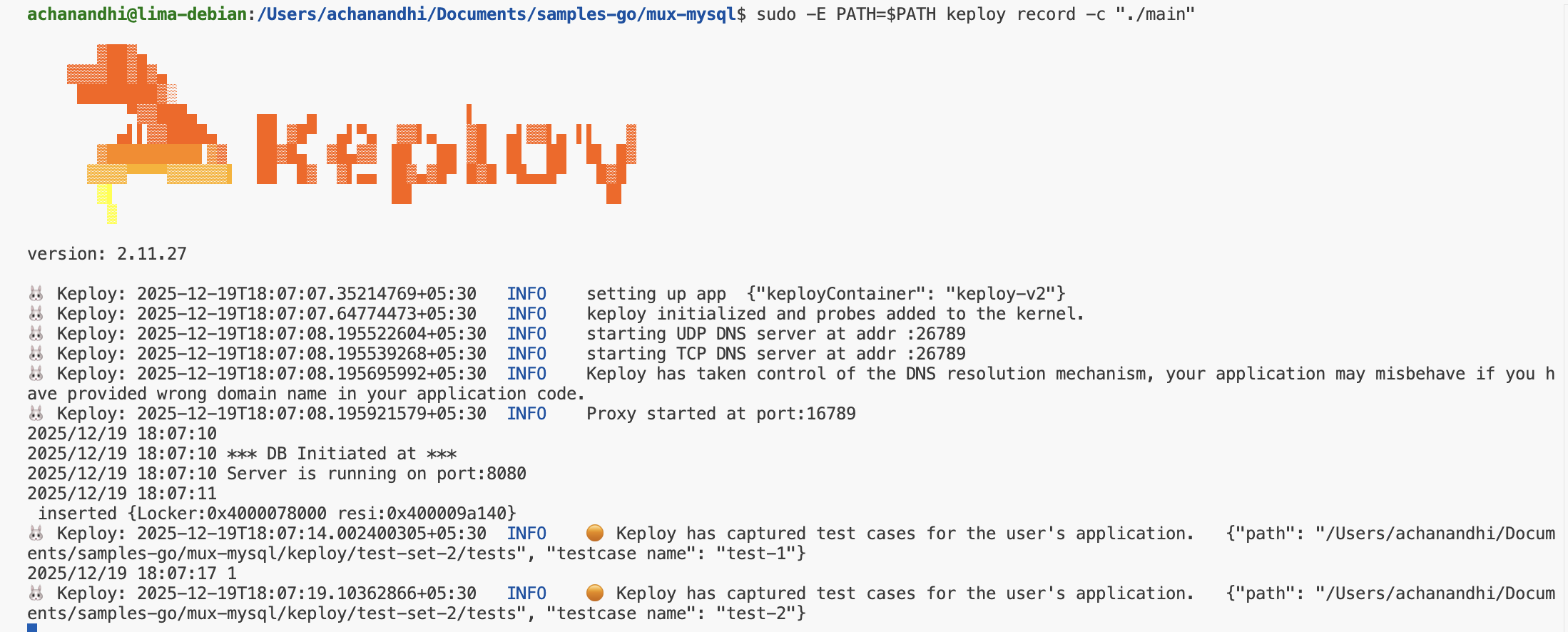
To generate test cases we just need to make some API calls. You can use Postman, Hoppscotch, or simply curl.
curl --request POST \
  --url http://localhost:8080/create \
  --header 'content-type: application/json' \
  --data '{
  "link": "https://google.com"
}'
this will return the shortened url.
{
  "message": "Converted",
  "link": "http://localhost:8080/links/1",
  "status": true
}curl http://localhost:8080/links/1
Now, let's see the magic! 🪄💫 Both these API calls were captured as a test case and should be visible on the Keploy CLI. You should see a keploy folder with the test cases and data mocks created.
Now that we have our test case captured, run the test file.
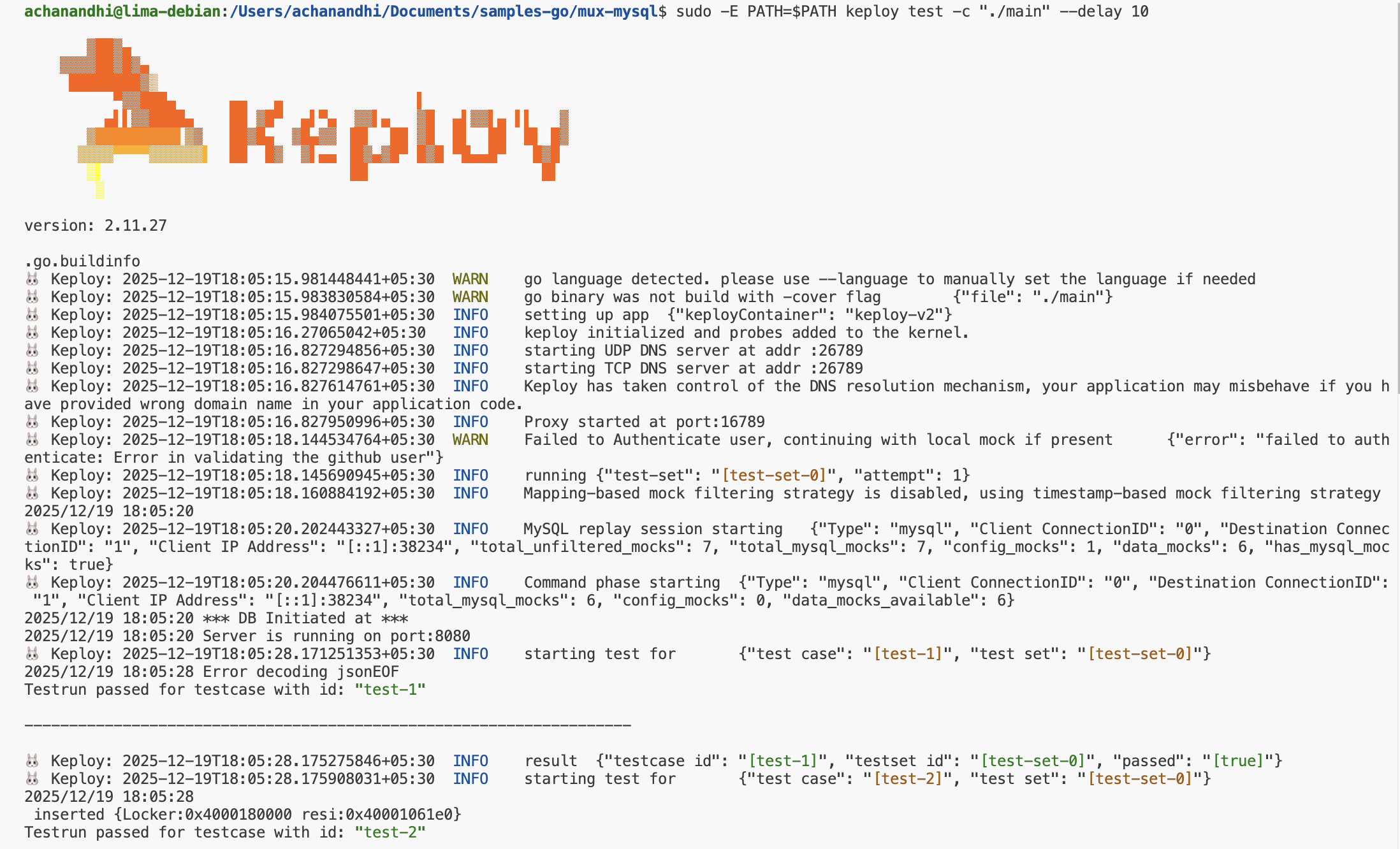
sudo -E PATH=$PATH keploy test -c "./main" --delay 10No need to set up dependencies like MySQL or write mocks for your testing. The application thinks it's talking to MySQL. 😄
We will get output something like this:
<img src="https://keploy-devrel.s3.us-west-2.amazonaws.com/keploy_mux_mysql_replay_docs.png " alt="Sample Keploy test header" width="100%" style={{ borderRadius: '5px' }} />
Congrats on the journey so far! You've seen Keploy's power, flexed your coding muscles, and had a bit of fun too! Now, go out there and keep exploring, innovating, and creating! Remember, with the right tools and a sprinkle of fun, anything's possible.😊🚀