



enigma gives your coding agent a senior engineer's standards, in one command. It
installs shared Dynamic Skills - security, testing, git, style, debugging - into
Claude Code, OpenAI Codex, opencode and Kimi Code; each one adapts to the agent, re-renders from
your config, and loads only when a task needs it. Portable git hooks keep secrets
and .env files out of every commit, a local dashboard manages and measures the
whole setup, and optional packs add focused harnesses - like the Helio bug-bounty
toolkit - in their own isolated context. Fewer wrong turns, fewer re-prompts, cleaner
output.
One command. It installs or updates the enigma command to the latest version, then
runs enigma install interactively so you choose what to set up. Re-run it
anytime to update:
# macOS / Linux
curl -fsSL https://raw.githubusercontent.com/FJRG2007/enigma/main/scripts/install.sh | sh

# Windows (PowerShell)
irm https://raw.githubusercontent.com/FJRG2007/enigma/main/scripts/install.ps1 | iex
Or one-shot, no global install, no prompts - deploy the skills to every supported agent at user level:
npx enigma-cli@latest install --all --yes|
Senior-engineering policies (security, testing, git, style, debugging...) on Claude Code, OpenAI Codex, opencode and Kimi Code. Unlike a static skill, each one adapts to the agent, re-renders from your config, loads only when the task needs it, and updates itself. Discard any you don't want - it's gone everywhere until you restore it. npx enigma-cli@latest install --all --yes |
A portable commit guard for any repo: blocks secrets, enigma security |
|
Same answer, fewer tokens. Compress the agent's chat replies (
|
Multiple logins per tool, each isolated, switched without logging out. Every account inherits your skills, memory and settings. Profiles pin one account per tool ("work" = claude:acme + codex:acme) and drive every launch. enigma claude work
enigma profile use work |
|
enigma autoskills
enigma autoskills --dry-run |
A slash command on every agent. Implement mode edits a focused area ( /improve ui
/improve audit |
|
On by default. Pushes the agent toward the simplest solution that works - stdlib and platform features before custom code, the shortest diff. Tune |
Opt-in. Shrinks large tool outputs, logs and text to far fewer tokens before they reach the model - reversibly. Use |
|
|
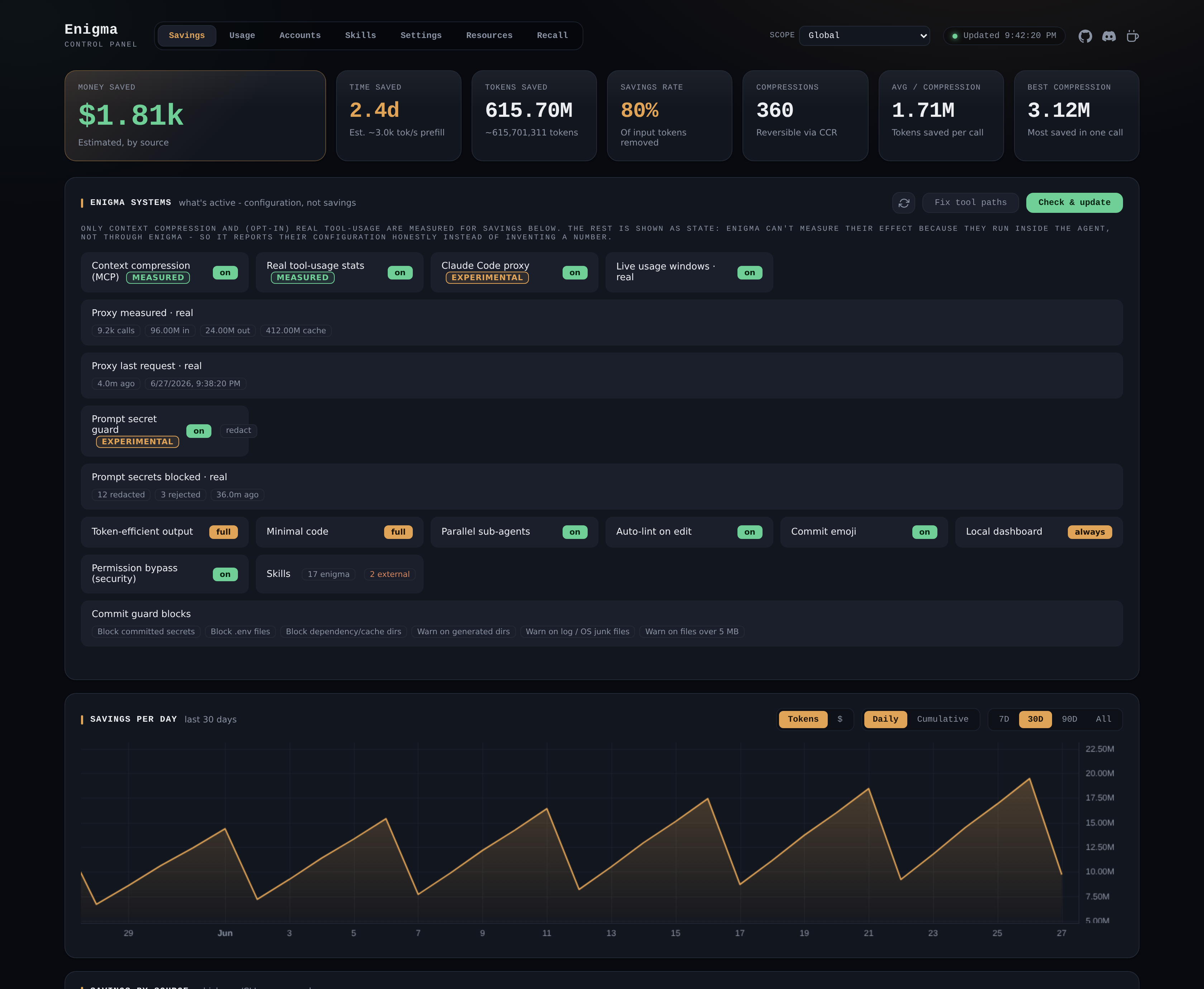
A loopback browser control panel for all of enigma - accounts, skills, settings, system cleanup - that also shows real Claude usage and measured savings. Nothing leaves your machine. |
|
Save each server once - key or encrypted password, jump host - then reach it by a short alias or its name. Passwords are stored encrypted and auto-filled with no extra tools (enigma acts as OpenSSH's own enigma ssh add lirio-0 --name lirio-prod --host 192.168.1.138 --user fjrg2007 --password
enigma ssh lirio-0
enigma ssh tunnel add pg lirio-0 9090:5432 && enigma ssh tunnel start pg |
|
The first install is the only one you run by hand: launching a tool through enigma
(e.g. enigma claude) auto-syncs the deployed skills and memory to the
installed version, so updates apply without re-running enigma install (opt out
with enigma config auto-sync off). It never deploys to a new agent on its own,
never overwrites skills you edited, and never rewrites a memory file you authored.
Skills also update straight from this repo between npm releases, verified by content
hash (enigma config remote-skills off to disable).
Most features are opt-in or tunable. Configure them from the interactive hub
(enigma), the local dashboard (enigma dashboard), or the CLI
(enigma config <key> <value>) - whichever you prefer. For the full list of keys,
their defaults, and per-feature details, see the
documentation.
Minimum: Node.js >= 18 (with npm), Git
and at least one coding agent. Recommended: add Claude Code,
the GitHub CLI, Bun and Warp.
Details - what each one is for
 |
>= 18, ships with npm - installs and runs the enigma CLI |
 |
powers the security hooks and the commit guard |
 |
at least one of Claude Code, OpenAI Codex, opencode or Kimi Code - the skills need a home |
Everything in Minimum, plus:
 |
the agent enigma is most battle-tested with |
 |
gh commits go through the same hooks, and enigma issue opens prefilled reports |
 |
only needed to build or contribute from source |
 |
a modern terminal where the hub TUI shines |
enigma                 Interactive menu: choose features to set up
enigma install         Install/update agent skills
enigma update          Fetch the latest skills from GitHub, sync deployments,
                       and self-update enigma-cli when a newer release exists
enigma security        Set up git security hooks in the current repo
enigma guard [--all]   Run the commit guard: staged files, --all for all tracked, or
                       --range <base>..<head> for what a commit range touched (pre-push,
                       CI). --json emits one document; exits 1 on findings, 2 if it
                       could not run at all
enigma config [k v]    Show or set runtime toggles (e.g. config commit-emoji off)
enigma <tool> [acct]   Launch claude | codex | opencode | kimi with an account's config
                       (explicit > active profile > tool active; auto-syncs first)
enigma account ...     Manage per-tool accounts   enigma profile ...  Group them
enigma skills ...      List skills, discard one (removed everywhere and skipped
                       by installs/updates) or restore it (list/discard/restore)
enigma issue [type]    Prefilled GitHub issue URL (OS, versions, terminal, agents)
enigma compress [file] Compress JSON/logs/text to fewer tokens (reversible);
                       --retrieve <hash> restores, --stats shows total savings,
                       --clear wipes all dashboard data (stats/history/cache)
enigma verify          Check that work reported as finished actually is: scans the change for
                       unfinished work and broken conventions, and runs your verification
                       command. parity <src> <dst> compares a codebase against a port of it.
                       --json emits one document; exits 1 on findings, 2 when the check
                       could not run. Also runs at turn end, where it additionally checks
                       the reply itself against your output-style level
enigma mcp             Run the context-compression MCP server over stdio
enigma api             Serve a local OpenAI-compatible API for your agents (Claude Code, and
                       Codex/OpenCode/Kimi Code where installed); route per request by the model field.
                       --port, --api-key, --tool (default backend). Loopback-only
enigma dashboard|dash  Open the local dashboard (manage enigma; see savings) in your browser (http://enigma,
                       or http://localhost:24282 if :80/hosts is unavailable)
enigma ssh [alias]     SSH connection manager: connect by alias, or list | add | edit | remove |
                       info; tunnels are standalone: tunnel add <name> <server> <spec>,
                       tunnel start|stop <name>, tunnels (list with live status)
                       (encrypted passwords, saved key/jump/port-forwards; e.g. 9090:db:5432)
enigma seal            Maintenance: (re)compute skill content hashes
enigma check           Integrity gate: verify skills are well-formed and sealed
enigma help | version
-g, --global         User level    -l, --local   This project
-a, --agent <name>   Target agent(s) (default: auto-detect)
-s, --skill <name>   Skill(s) (default: all)
    --all            Every supported agent, ignoring detection
    --bypass <names> Force approval-prompt bypass (claude,codex,opencode,kimi | all | none)
    --no-bypass      Skip permission bypass for this run (it is on by default)
    --output-style <off|lite|full|ultra>  Token-efficient output level (asked if omitted)
    --hooks <classes>    Which hooks to wire: post-edit, stop | all | none
    --no-hooks           Wire none of them      --no-statusline  Leave statusLine alone
    --ref <tag|sha>      Pin the skills ref (the resolved commit is printed)
    --assets-from <dir>  Install from a staged assets tree (implies --offline)
    --offline            Make no network call at all
    --skills-only / --memory-only / --no-prune / --keep-modified / --dry-run
Every command answers enigma <command> --help with its own usage, flags and exit codes.
ENIGMA_AGENT_CLAUDE=<abs path>   Point the gate at an agent installed off PATH
                                 (also _CODEX, _OPENCODE, _ROVODEV, _PI). The daemon runs
                                 the pipeline, so set it before the daemon starts
ENIGMA_BIN_PATH=<abs path>       Use this enigma binary instead of downloading the release
ENIGMA_SKILLS_REF=<tag|sha>      Default skills ref (install --ref overrides it)
ENIGMA_OFFLINE=1                 No enigma command reaches the network - the skill check,
                                 the update notice and the background linter/dashboard
                                 installs all stand down (install --offline sets it)
gh is needed only by the gate's push, pr and ci steps: enigma gate axi run --skip push,pr,ci and enigma gate init work in an image without it.
Contributions are welcome. The development loop, build internals, release flow,
the mechanical quality gates (verify, check, guard, seal) and local
testing all live in the developer guide - start with
CONTRIBUTING.