



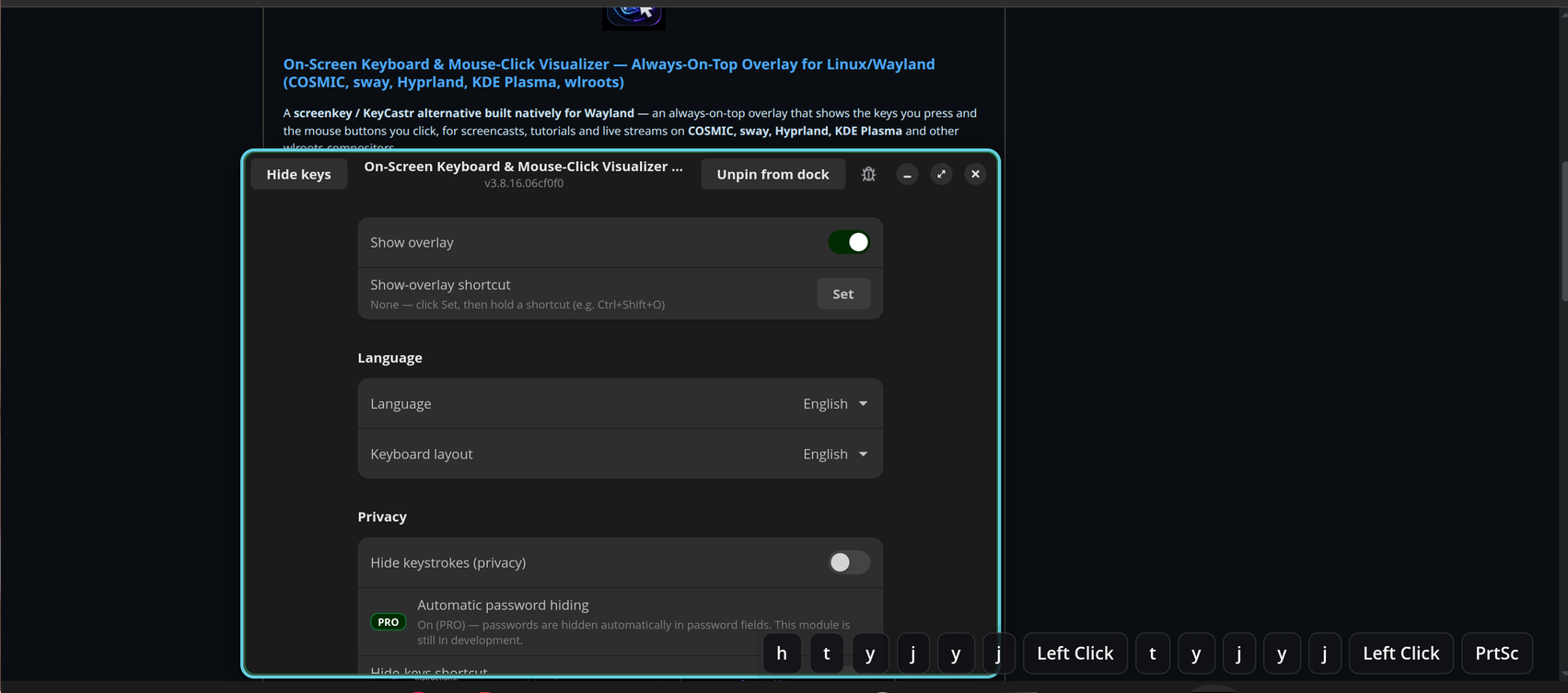

On-Screen Keyboard & Mouse-Click Visualizer — Always-On-Top Overlay for Linux/Wayland (COSMIC, sway, Hyprland, KDE Plasma, wlroots)
A screenkey / KeyCastr alternative built natively for Wayland — an always-on-top overlay that shows the keys you press and the mouse buttons you click, for screencasts, tutorials and live streams on COSMIC, sway, Hyprland, KDE Plasma and other wlroots compositors.


- 🖥️ True always-on-top on Wayland (GTK4 +
gtk4-layer-shell), never steals keyboard focus - ⌨️ Keys and mouse in one bar, translated through
xkbcommonfor your active layout - 🔒 Privacy mode hides keystrokes so passwords never land in a recording
- 🌍 30+ languages · 📦 one-click
.deb· Apache-2.0 · no background telemetry
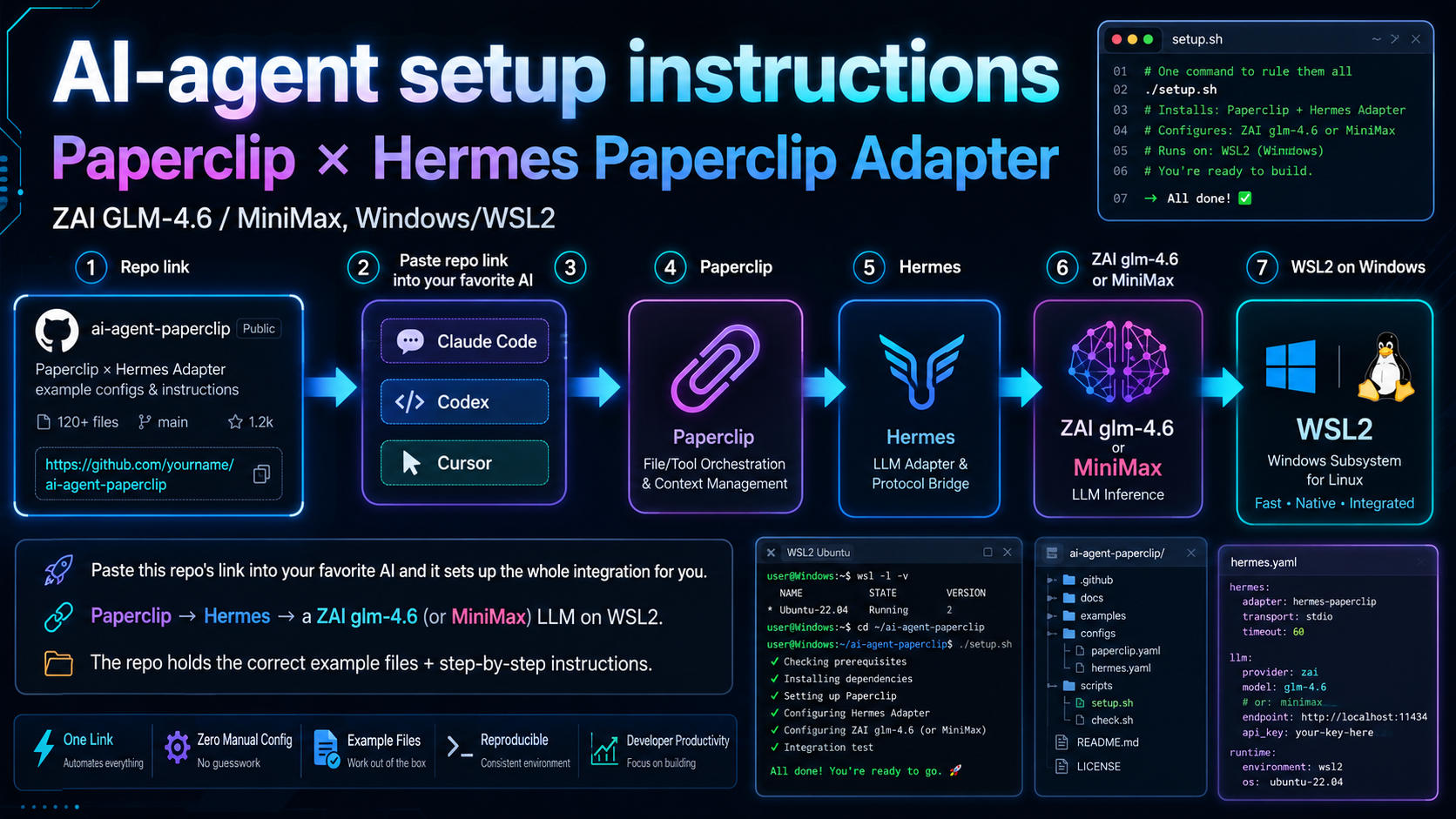
AI-agent setup instructions — Paperclip × Hermes Paperclip Adapter integration (ZAI GLM-4.6 / MiniMax, Windows/WSL2)
Paste this repo's link into your favorite AI (Claude Code, Codex, Cursor…) and it sets up the whole integration for you — Paperclip → Hermes → a ZAI glm-4.6 (or MiniMax) LLM on WSL2. The repo holds the correct example files + step-by-step instructions.


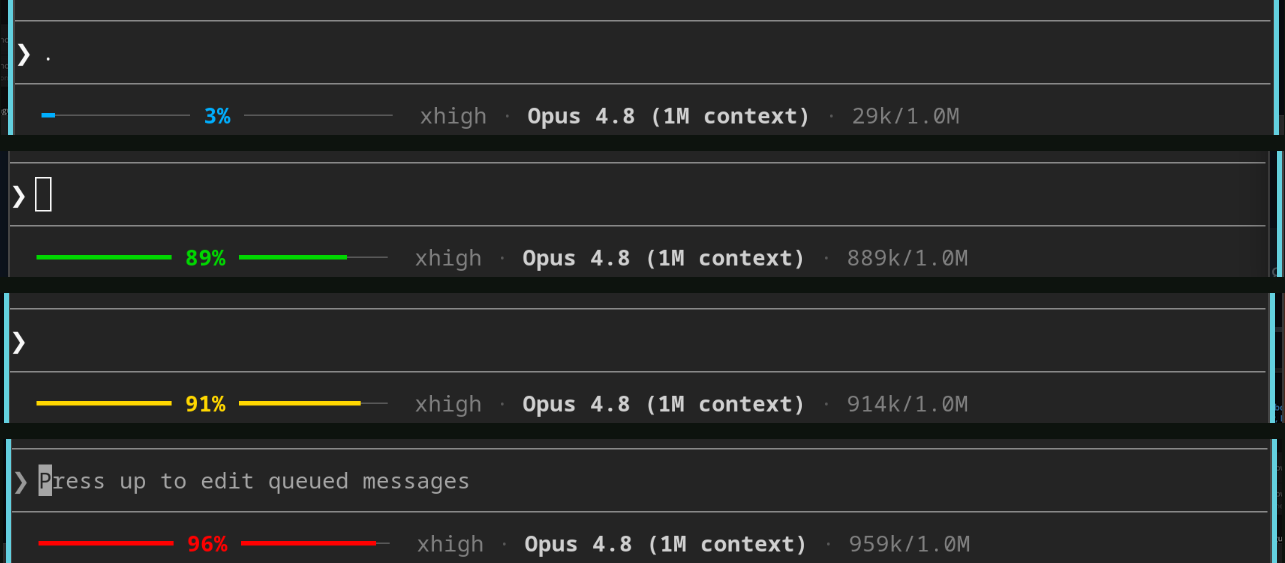
AI-agent setup instructions — Claude Code status line (context-window usage bar + model · effort · tokens)
Paste this repo's link into your favorite AI (Claude Code…) and it installs the status line for you — a thin colored context-window usage bar with the % in the center, plus effort · model · tokens, right in your Claude Code prompt.


More native Linux & AI-tooling projects on the way — ⭐ star and watch to follow along.