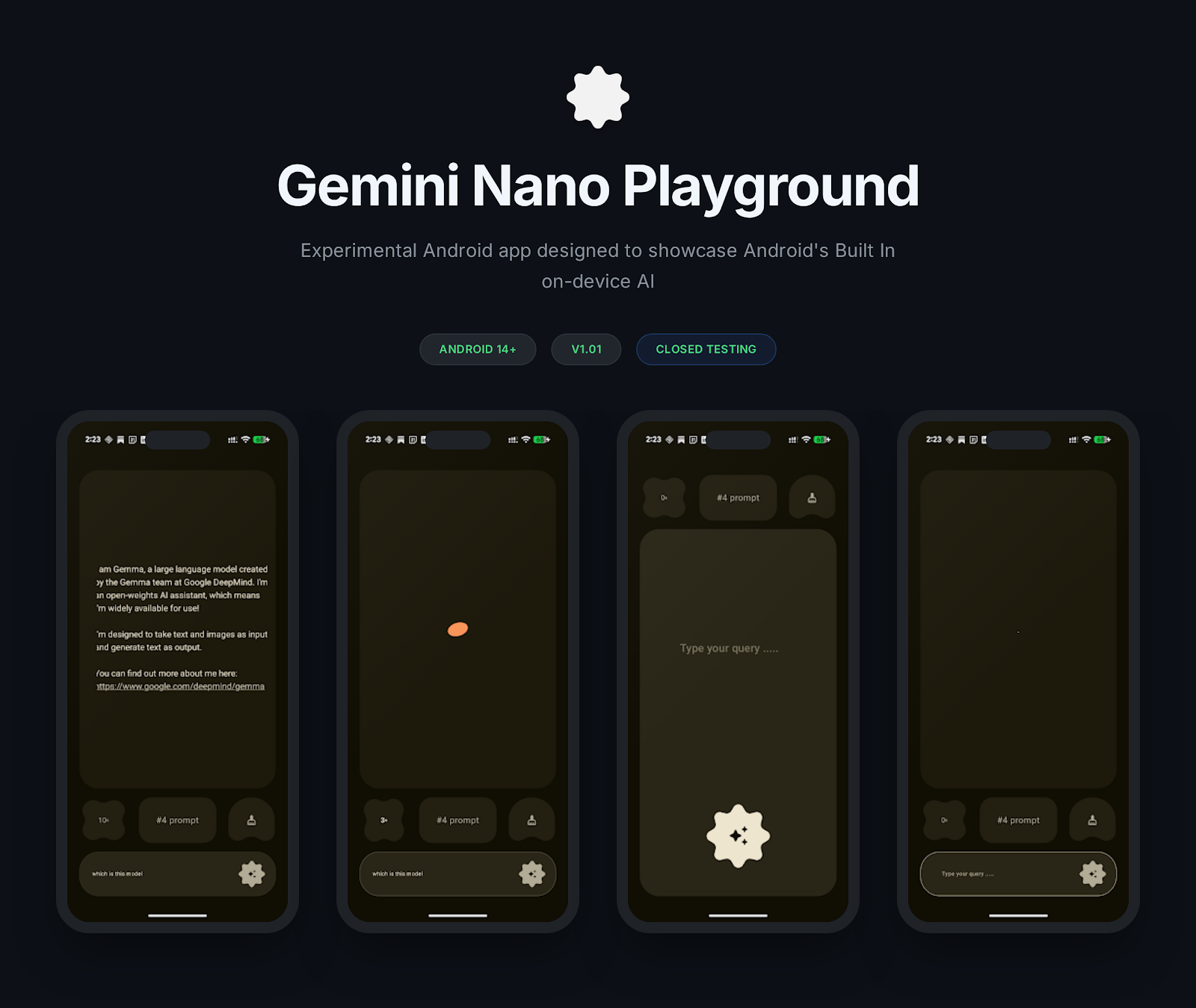
Nano Playground is an Android application designed to test and experiment with Google's on-device Generative AI model - Gemini Nano via ML Kit Prompt API(com.google.mlkit:genai-prompt)
.
├── app
├── gradle
├── build.gradle.kts
├── gradle.properties
├── gradlew
├── gradlew.bat
├── local.properties
├── README.md
└── settings.gradle.kts
The codebase is organized primarily within app/src/main/java/com/dino/nanoplayground:
app/src/main/java/com/dino/nanoplayground
├── core/
├── ground/
│   ├── di/
│   ├── models/
│   └── ui/
│       ├── components/
│       ├── sections/
│       ├── ChatScreen.kt
│       └── viewmodel/
├── ui/
│   └── theme/
├── MainActivity.kt
└── NanoApplication.kt
core/: Contains core utilities, such as custom Compose modifiers (e.g.,BounceEffect).ground/: The main feature module containing the UI and business logic.models/: Data classes representing application state (e.g.,HomeState,FeatureAvailability).ui/: Compose UI components and screens.components/: Reusable UI elements likeChatContent,ChatOptions, andUserQueryField.sections/: Main screen layouts likeChatScreen,FeatureStatusCheckingScreen, etc.viewmodel/: Contains theChatViewModelwhich handles the logic for checking model status and executing prompts.
ui/theme/: Theme definitions for the application (colors, typography).
nano-v2
- Google: Pixel 9, Pixel 9 Pro, Pixel 9 Pro XL, Pixel 9 Pro Fold
- Honor: Magic V5, Magic 7, Magic 7 Pro
- iQOO: iQOO 13
- Motorola: Razr 60 Ultra, Razr Ultra 2025
- OnePlus: OnePlus 13, OnePlus 13s
- OPPO: Find N5
- POCO: POCO F7 Ultra, POCO F8 Pro, POCO F8 Ultra, POCO X7 Pro, POCO X8 Pro
- realme: realme GT 7 Pro
- Samsung: Galaxy Z Fold7, Galaxy Z TriFold
- Xiaomi: Xiaomi 14T Pro, Xiaomi 15, Xiaomi 15T, Xiaomi 15T Pro, Xiaomi 15 Ultra, Xiaomi 17, Xiaomi 17 Ultra, Xiaomi Pad Mini
- vivo: vivo X200 FE, vivo T4 Ultra
nano-v3
- Google: Pixel 10, Pixel 10 Pro, Pixel 10 Pro XL, Pixel 10 Pro Fold
- Honor: Honor Magic 8 Pro
- iQOO: iQOO 15
- Samsung: Galaxy S26, Galaxy S26+, Galaxy S26 Ultra
- Motorola: Signature
- OnePlus: OnePlus 15, OnePlus 15R
- OPPO: Find X9, Find X9 Pro, Find X8, Find X8 Pro, Reno 14 Pro 5G, Reno 15 Pro 5G, Reno 15 Pro Mini 5G, Reno 15 Pro Max 5G
- realme: realme GT 7T
- vivo: vivo X200T, vivo X200, vivo X200 Pro, vivo X300, vivo X300 Pro
Closed testing is now open!
- Join Testing google group - https://groups.google.com/g/nano-playground-internal-testers
- Join Closed Testing on the web: Testers can join your test on the web - https://play.google.com/apps/testing/com.dino.nanoplayground
- Join Closed Testing on Android: Testers can join your test using Google Play on Android - https://play.google.com/store/apps/details?id=com.dino.nanoplayground
- Model Status Checking: Automatically checks the availability and download status of the required on-device models before allowing interaction.
- Chat Interface: A streamlined chat UI built with Jetpack Compose, featuring expandable input fields and markdown rendering for AI responses.
- Animated UI: Utilizes Compose animations, including shared element transitions and bounce effects, for a smooth user experience.
- Clear Model Cache: Includes a dedicated Material 3 dialog to safely clear the least recently used (LRU) static prompts and model data, helping manage on-device storage efficiently.
- Multimodality Support: Expanding capabilities to include image and document processing alongside text-based interactions.
- Prefix Caching: Implementation of prefix caching to significantly reduce latency and compute costs for repetitive prompt structures.
- Streaming Responses: Opt-in support for real-time token streaming to provide a more responsive "typing" feel during AI generation.
- Model Configuration Settings: Granular control over generation parameters, including Temperature, Top-K, Top-P, and Random Seed.
- Offline Storage for Caching: Persistent local storage support for prefix-cached prompts to ensure performance gains across app sessions.
This project is built using modern Android development practices and libraries:
- Kotlin: The primary programming language.
- Jetpack Compose: For building the native user interface.
- Hilt: Dependency injection framework for managing application components.
- Google ML Kit GenAI: Provides the on-device generative AI models and inference capabilities.
- Material Design 3: For styling and UI components.
- Coroutines & Flows: For asynchronous programming and state management.
The application follows the Model-View-ViewModel (MVVM) architecture pattern:
- View: Jetpack Compose screens (
NanoGroundScreen,ChatScreen) observe state from the ViewModel and handle user interactions. - ViewModel:
ChatViewModelmanages the state (HomeState), interacts with theGenerativeModel, and exposes data streams (MutableStateFlow,StateFlow) to the UI.
- Clone the repository:
git clone <repository-url>
cd gemini-nano-playground
- Open in Android Studio: Open the project using a recent version of Android Studio (preferably Ladybug or newer to fully support Compose and AGP 8.x/9.x).
- Requirements:
- The app requires a minimum SDK of 33 (Android 13).
- Target SDK is 36.
- A physical device or emulator running Android 14 or higher. Note that on-device GenAI models may have specific hardware requirements or might need to download initial models upon first run.
You can build and run the app directly from Android Studio or using Gradle from the command line:
# To run tests
./gradlew test

# To build the debug APK
./gradlew assembleDebug- Presentation / Slides: Supercharging Android Apps with On-Device AI (Gemini Nano Prompt API) - Droid Con Uganda 2025
- Prompt API Documentation: Get started with the ML Kit GenAI Prompt API for Android