Orchestrate AI agents across issues, profiles, and machines. Full visibility from dispatch to PR.




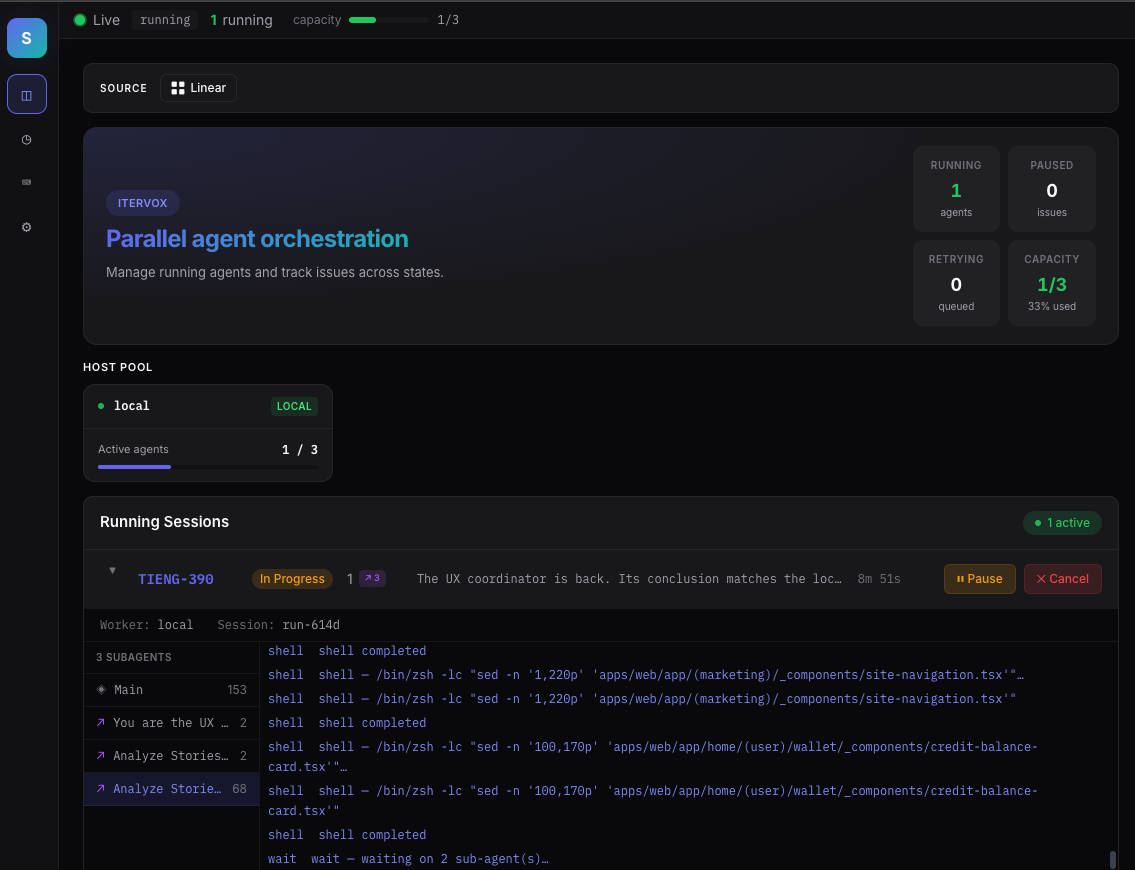

Itervox is a long-running Go daemon that polls Linear or GitHub Issues, spawns Claude Code or Codex agents per issue, and gives you a live web dashboard and Bubbletea TUI while they work. One WORKFLOW.md per project, one static binary, no runtime. It's a full Go implementation of the OpenAI Symphony spec — formerly known as "Symphony Go".
Itervox is the reference implementation of the
Orchestrated Coding spec and
conforms at L3 — every L1–L3 MUST verified against code with named
regression tests run under -race. Evidence: the audited conformance map in
IMPLEMENTATIONS.md
and the closed-gaps ledger in v0.2.0/gaps_must.md.
Itervox is also a conforming OpenAI Symphony runtime.
# Homebrew (macOS / Linux)
brew tap vnovick/tap && brew install itervox

# Or: go install
go install github.com/vnovick/itervox/cmd/itervox@latest
Pre-built binaries for macOS and Linux are available on the latest release.
Itervox shells out to claude or codex and does not manage agent credentials itself. Before running Itervox, authenticate the agent CLI once on every machine where it will execute (including any SSH worker hosts):
claude login    # for Claude Code
codex login     # for Codex
For headless / CI environments, follow the upstream Claude Code or Codex docs — the auth flow is owned by those tools, not Itervox. The same applies to Claude Code on Bedrock or Vertex: set the env vars the upstream CLI expects and Itervox will pass them through to the subprocess.
You already have the agents. Now orchestrate them. Coding agents are powerful — but running them manually, one issue at a time, doesn't scale. Itervox turns them into a fleet.
| Manual Claude Code / Codex | With Itervox |
|---|---|
| Open terminal, pick an issue | Issues appear in your tracker |
Create branch, cd into repo |
Agents spawn in parallel per issue |
Run claude with a prompt |
Each agent gets an isolated worktree |
| Wait for the agent, review, open PR | PRs submitted, issues transitioned |
| Repeat, one at a time | You review and merge — that's it |
Pluggable agent backends — Claude Code and Codex are supported today; new backends require a small Go integration. OpenCode and Gemini CLI are on the roadmap.
- Concurrent agents — run up to N agents in parallel with per-state concurrency limits. Scale from 1 to 50+ without config changes.
- Retry queue — failed agents auto-retry with exponential backoff (10s, 20s, 40s… capped at 5 min).
- Pause & resume — free up a slot; resume later via
--resumeand continue the same session from exactly where it stopped. - Input required — agents can request human input. The preferred contract is the explicit
<!-- itervox:needs-input -->marker, but Itervox also has a best-effort English-oriented fallback for successful final messages that end in a real blocking decision or confirmation prompt. The question is posted as a tracker comment; reply from Linear/GitHub or the dashboard to resume. - Automations — trigger helper runs from ten event types:
cron,input_required,tracker_comment_added(with optionalbody_contains/body_regexfilters),issue_entered_state,issue_moved_to_backlog,run_failed,pr_opened,pr_merged,rate_limited, andblockers_resolved(dependency audit). Reuse normal profiles, filters, and permissions instead of inventing a separate workflow engine. - Built-in
merge-botprofile — ships embedded in the binary; reference it fromWORKFLOW.mdwithagent.profiles.merge-bot: {}and the daemon resolves SOUL/INSTRUCTIONS from the embedded registry. The newmerge_pragent action runsgh pr view/gh pr checks --required/gh pr mergewith required-check + block-label guards. - Auto-clear workspaces — delete cloned workspaces after successful completion. Disk stays clean, logs are preserved.
- Project filters — filter issues by Linear project when working across multiple repos.
- Stall detection — no output inside the stall window? Worker is killed and retried automatically.
- Auto-pause on open PR — an existing open PR is detected and the agent pauses to prevent duplicate work.
- Per-issue profile overrides — route different issue types through different profiles, models, and machines.
- API auth — protect the local HTTP server with a shared token.
A real-time dashboard with everything you need to watch, steer, and debug a fleet of agents.
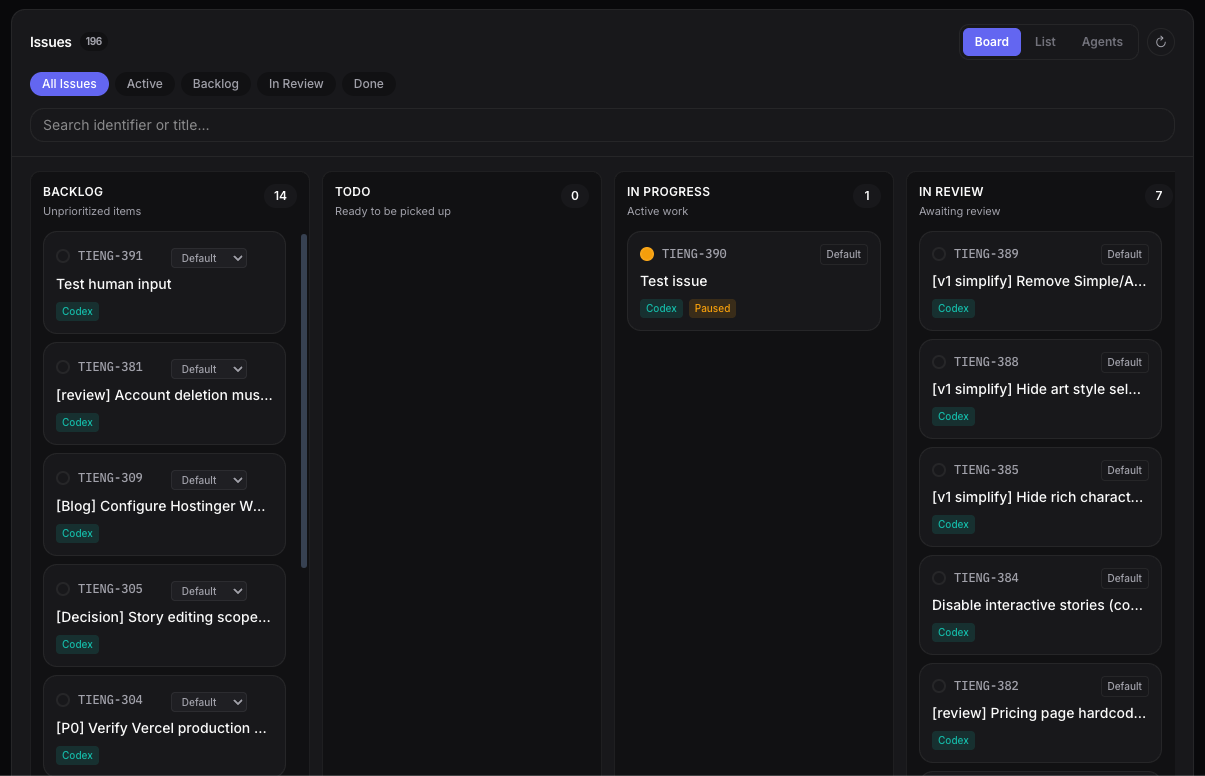 Kanban — drag-to-move issues across tracker states |
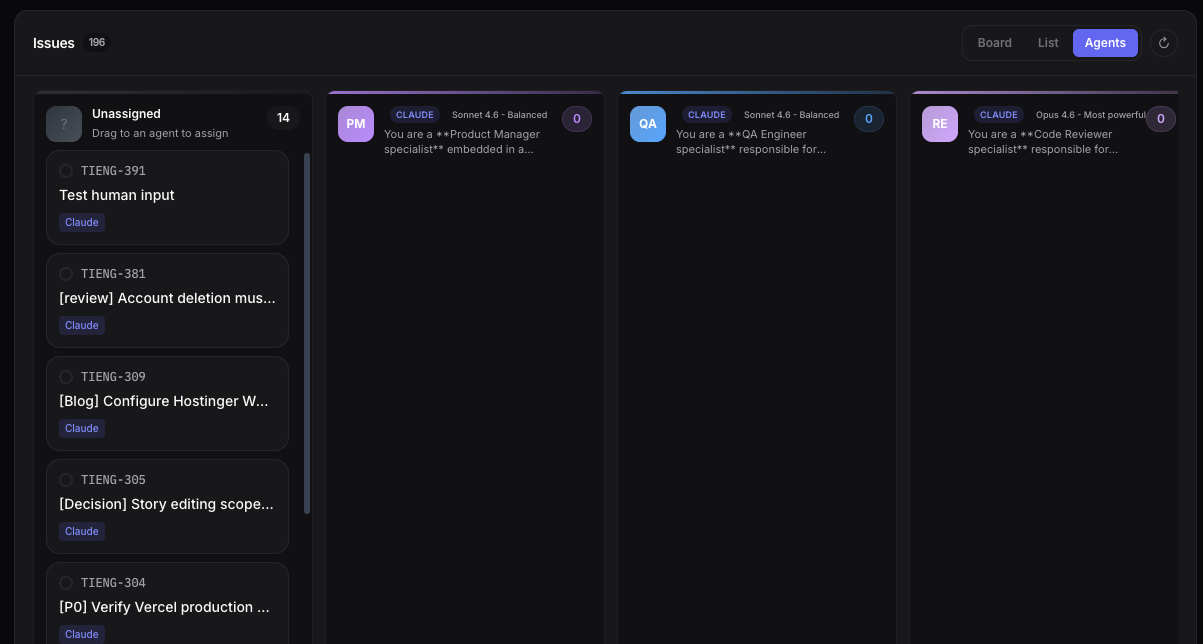 Agent Board — assign work by profile |
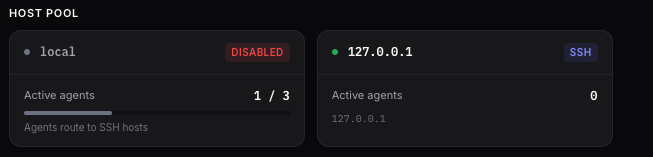 Host Pool — SSH workers with live load bars |
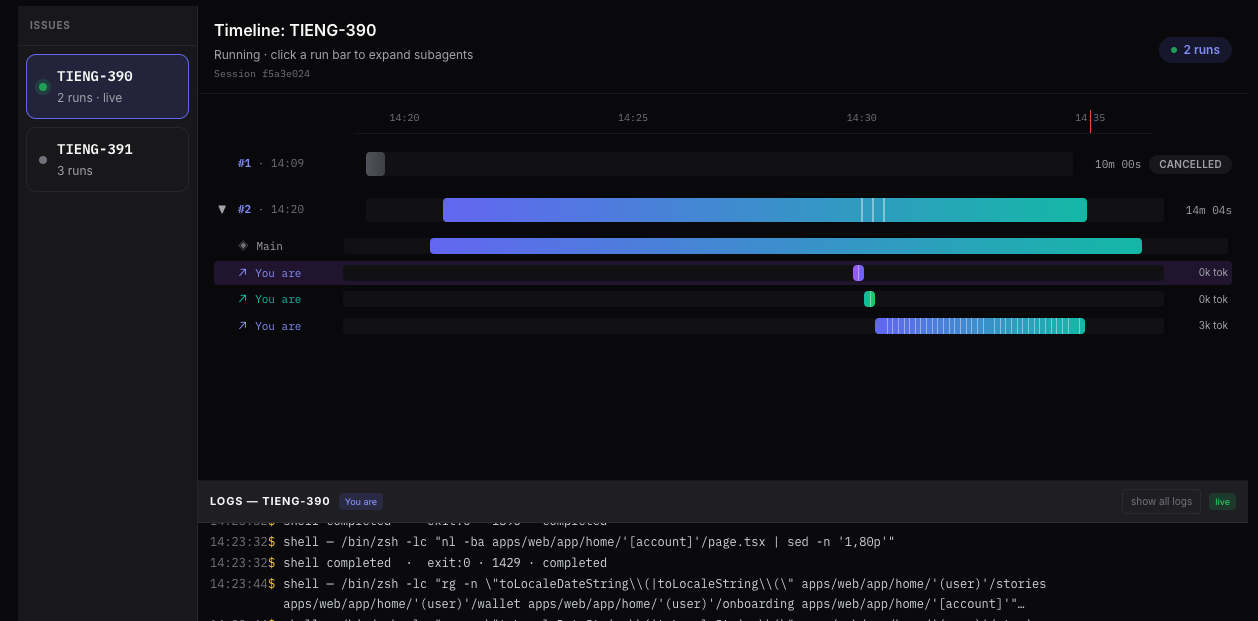 Timeline — parallel runs with token usage |
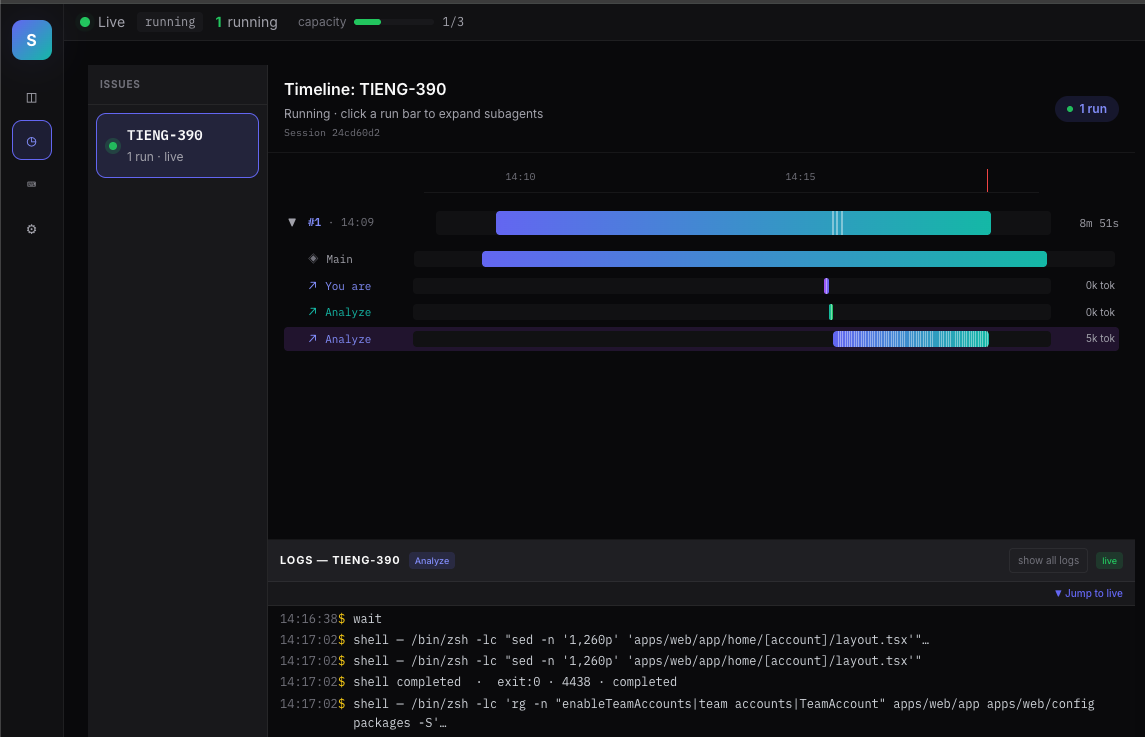 Timeline drill-down — session-isolated logs |
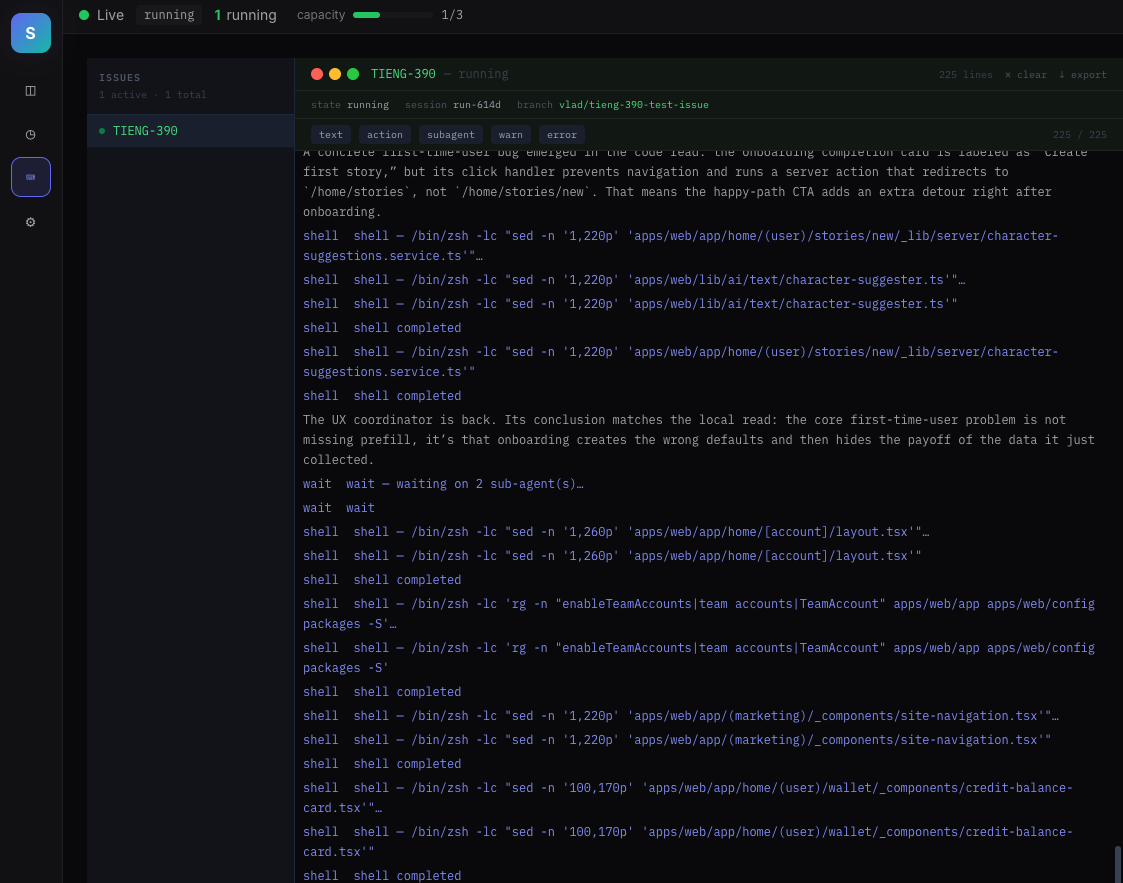 Logs — filter by issue, level, and source |
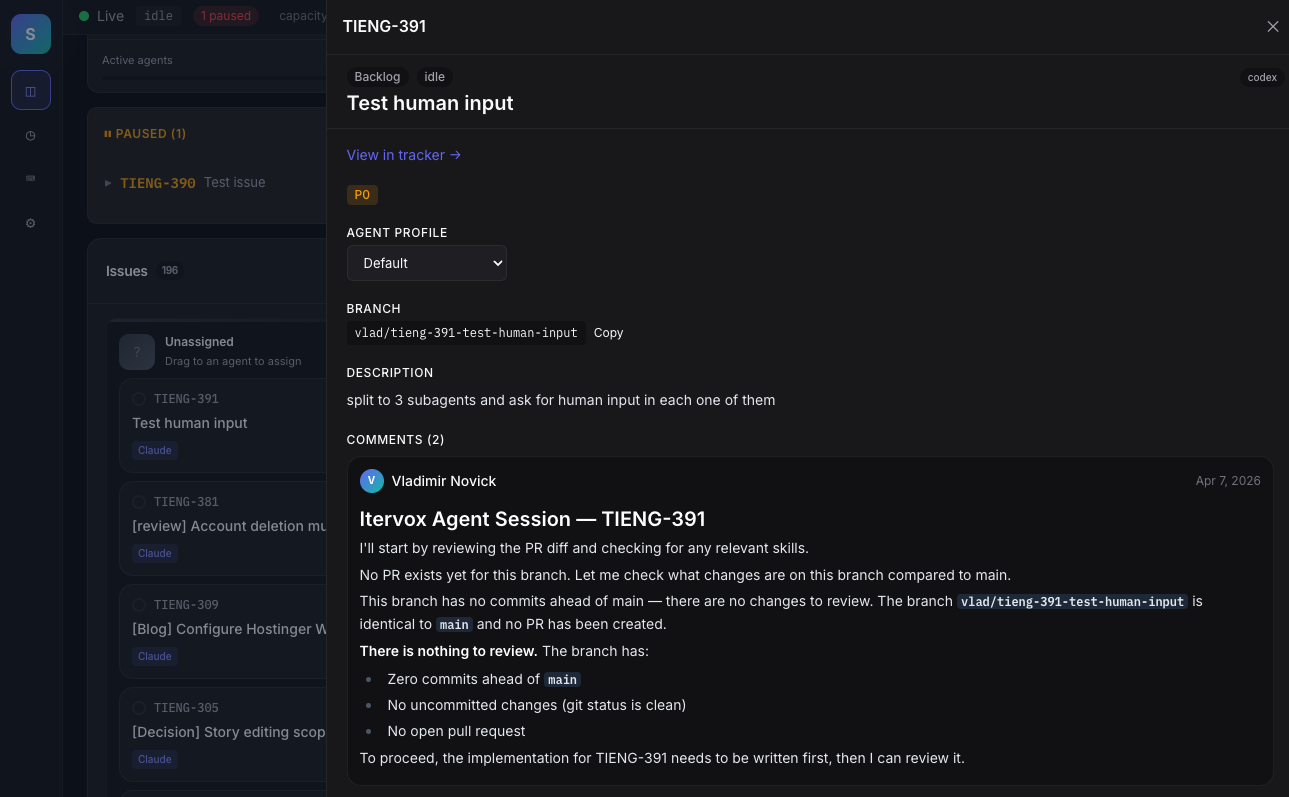 Issue Detail — full context in a slide-over panel |
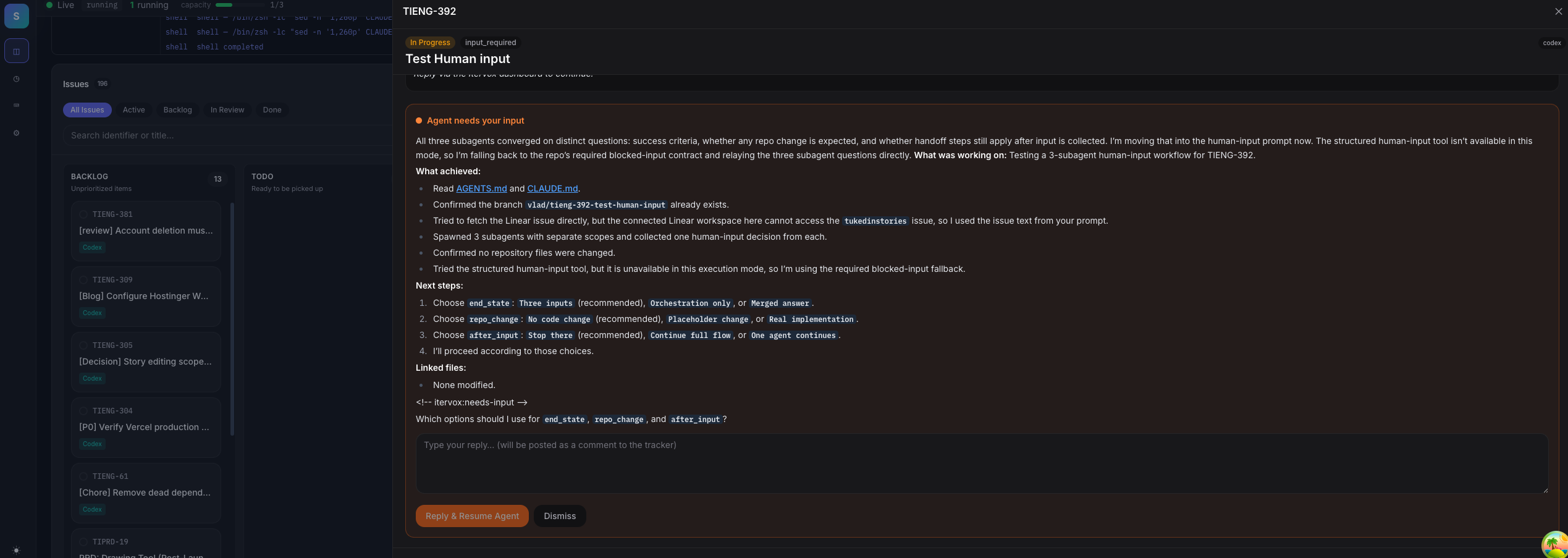 Input Required — respond inline when an agent asks |
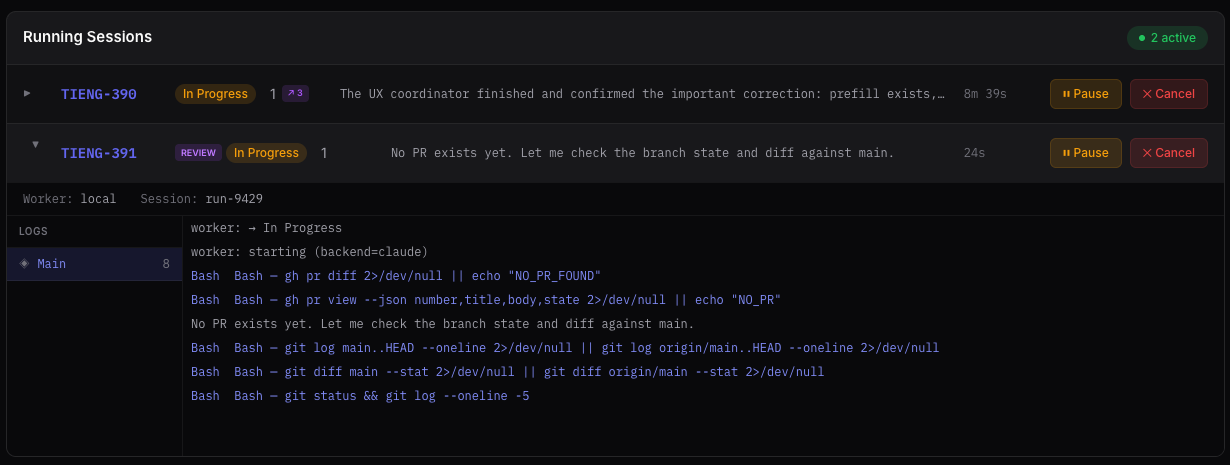 Running sessions — inline log streaming |
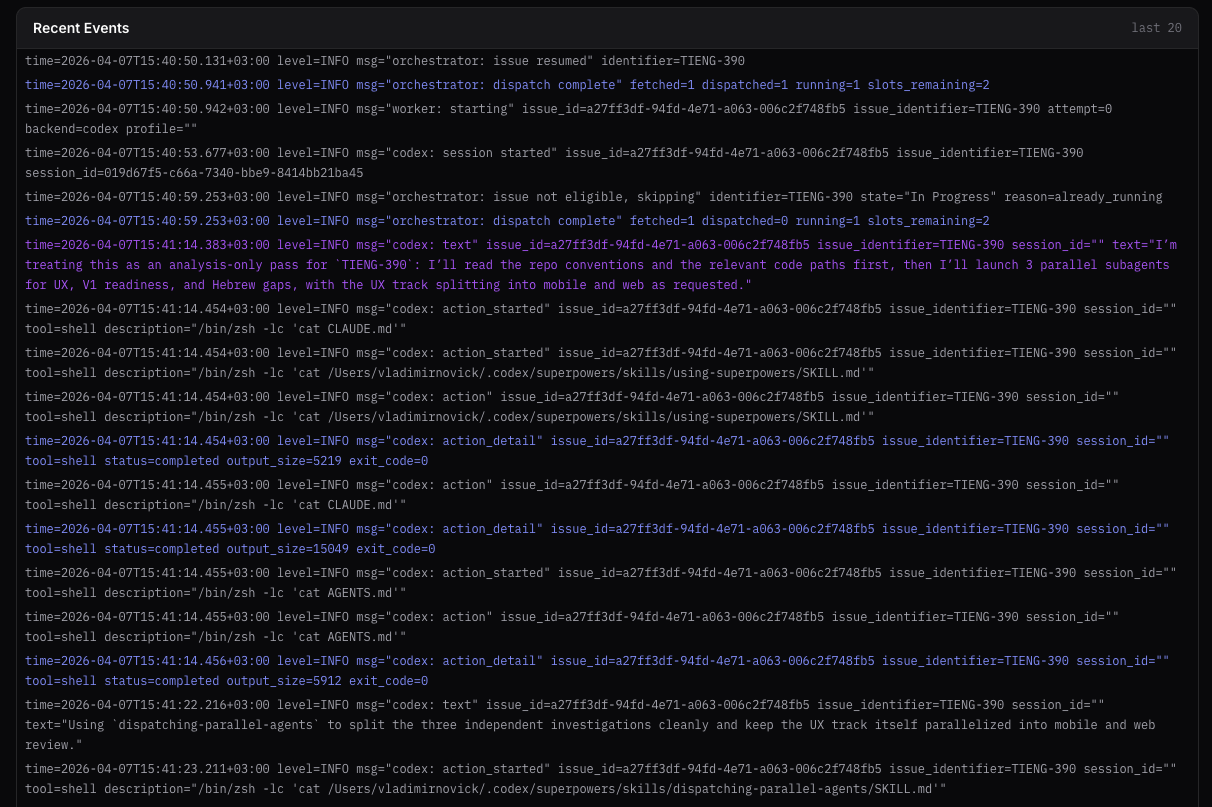 Narrative feed — human-readable timeline of fleet events |
Every setting below is live-editable from the dashboard. No daemon restart, no WORKFLOW.md hand-edit, no lost runs. Changes persist back to WORKFLOW.md automatically.
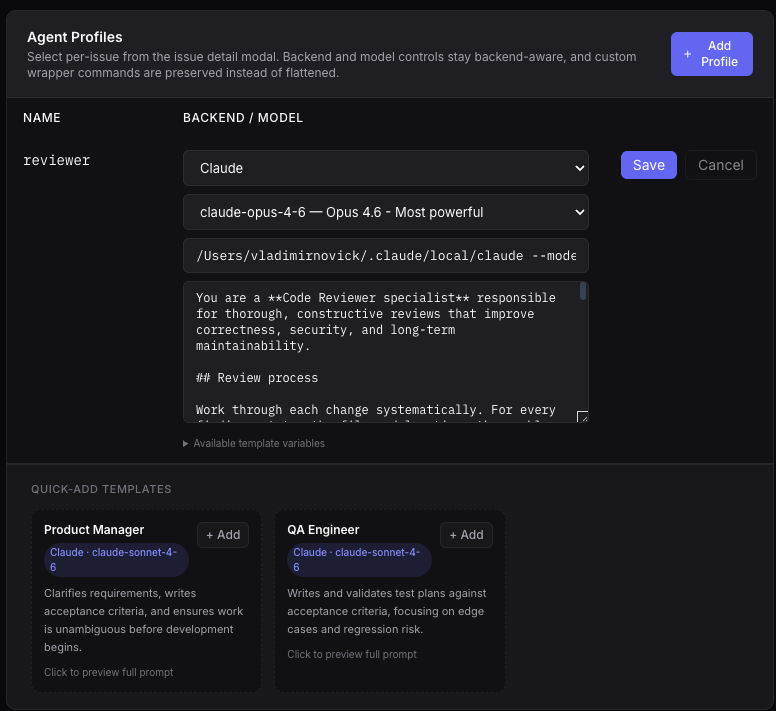 Agent profiles |
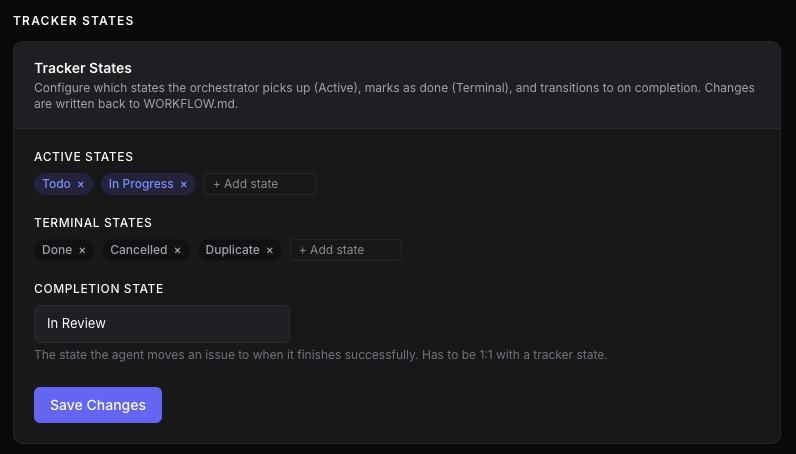 Tracker states |
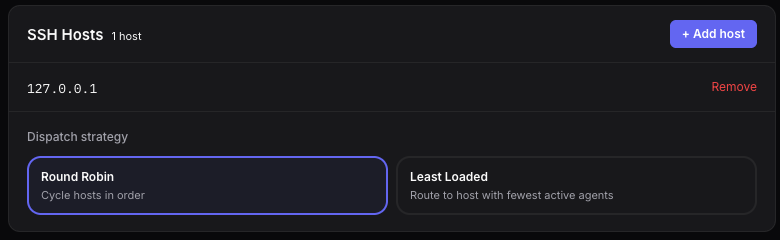 SSH hosts + dispatch strategy |
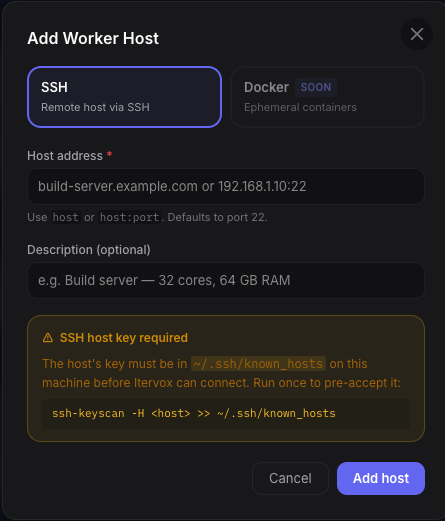 Add worker host |
 Capacity slider |
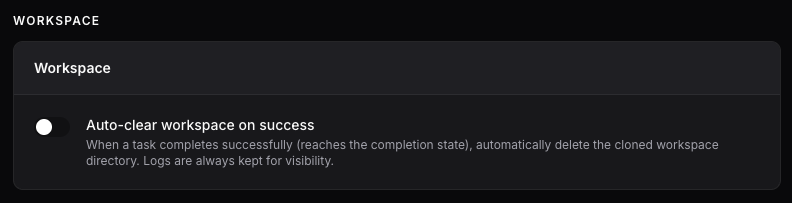 Auto-clear workspaces |
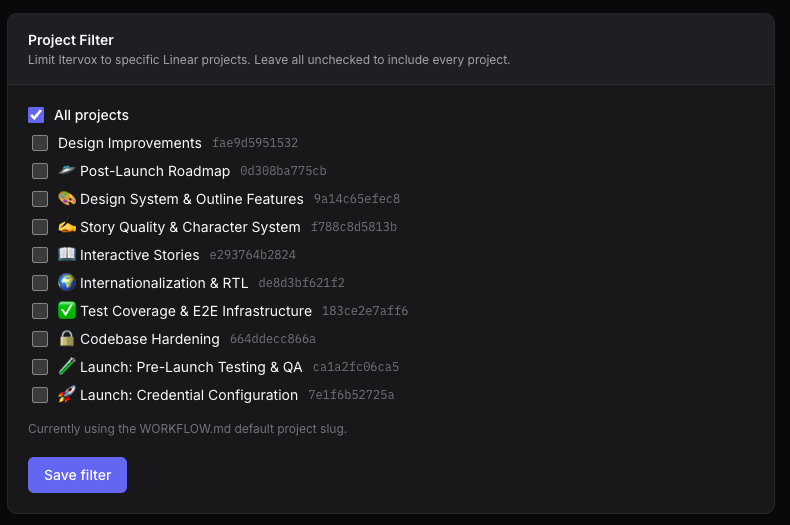 Project filter |
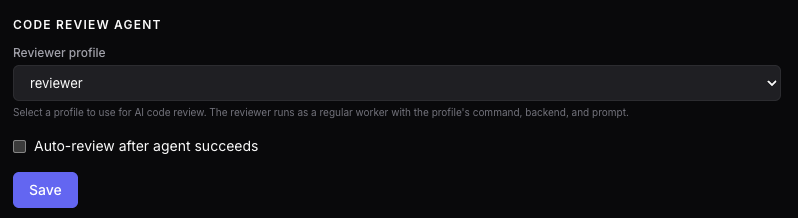 Code review agent |
The dashboard runs on your machine. Reach it from your phone over LAN, SSH tunnel, Tailscale, ngrok, or self-hosted Piko. Full guide: itervox.dev/guides/remote-access/.

A full-featured Bubbletea TUI with the same real-time data as the web dashboard.
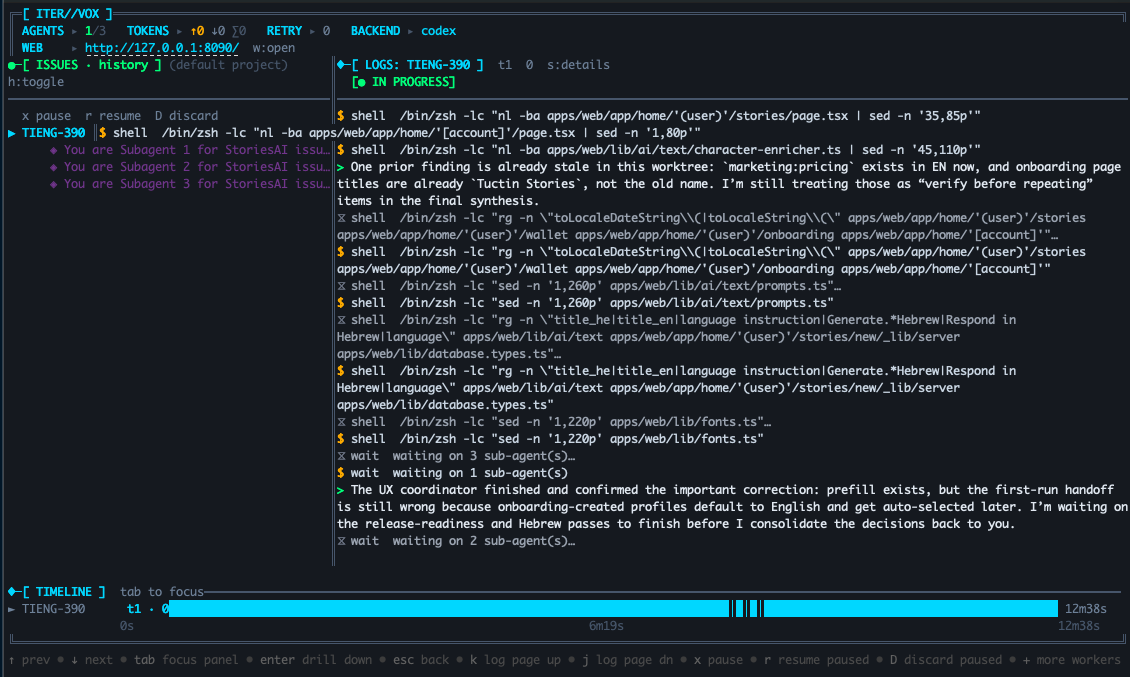 Issues · Logs · Timeline — the default three-panel view |
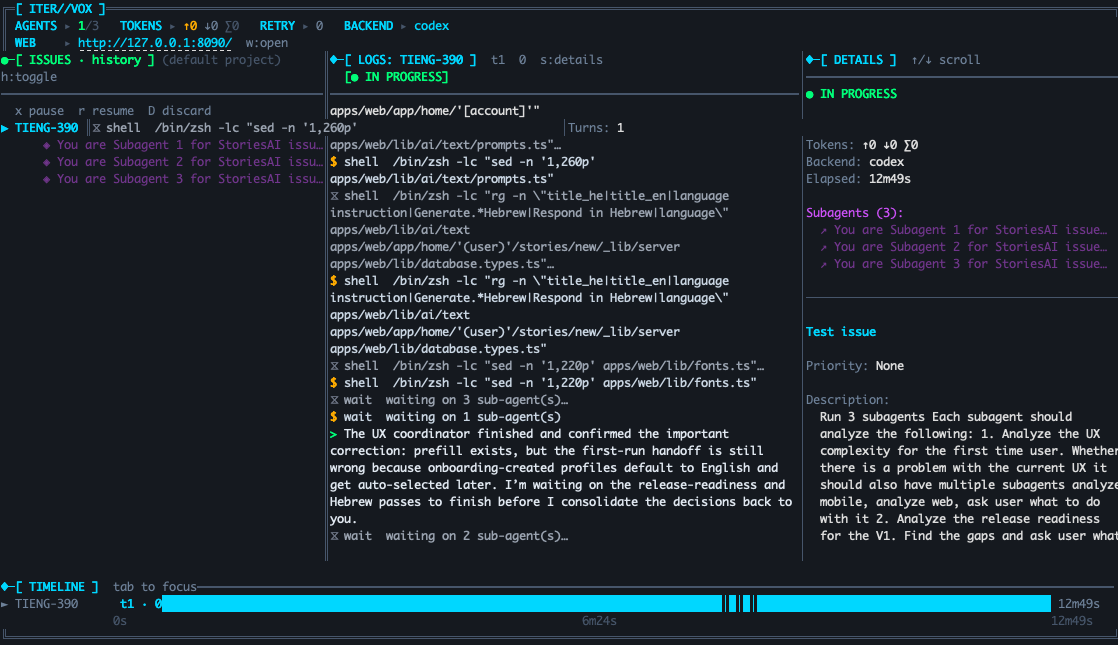 Session details — press d for tools and metadata
|
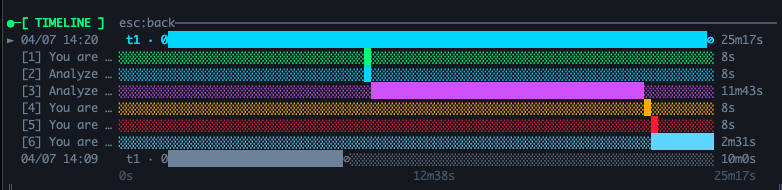 Gantt timeline — parallel runs at a glance |
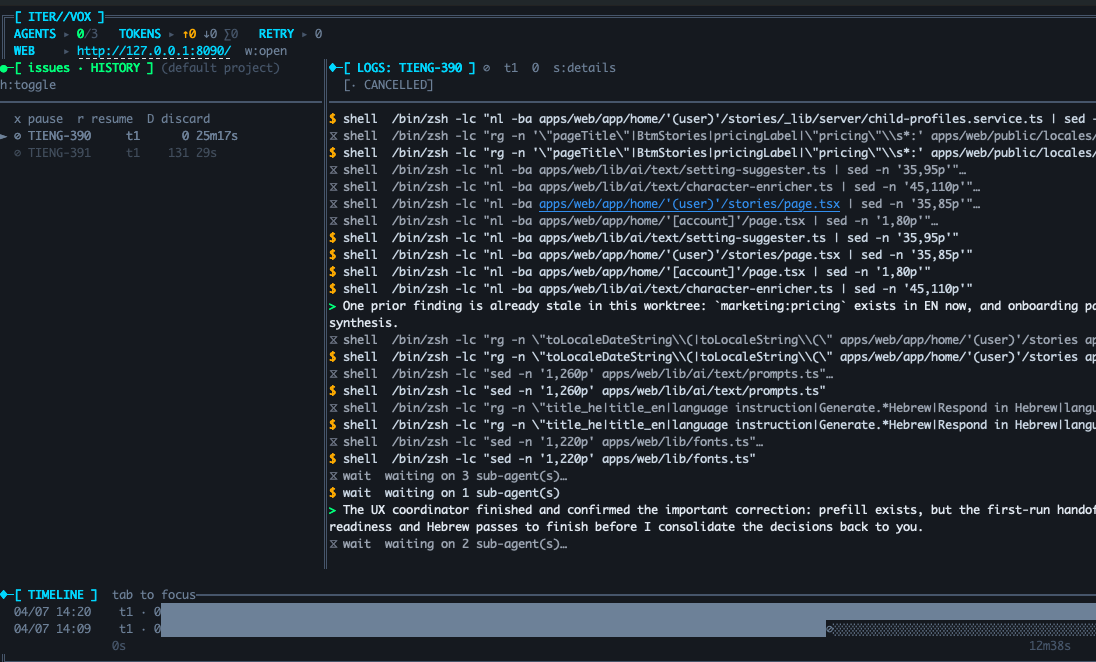 History — press h for previous runs
|
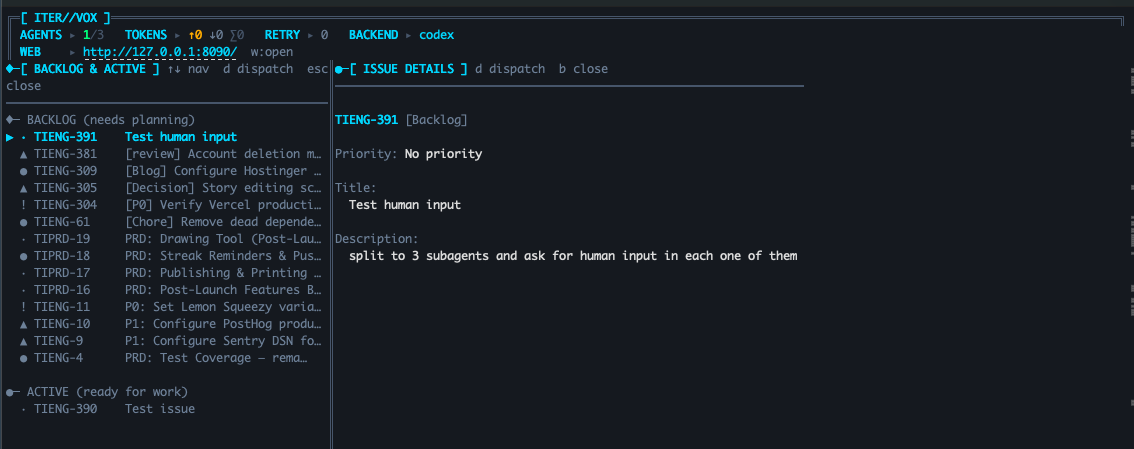 Backlog — press b, enter to dispatch
|
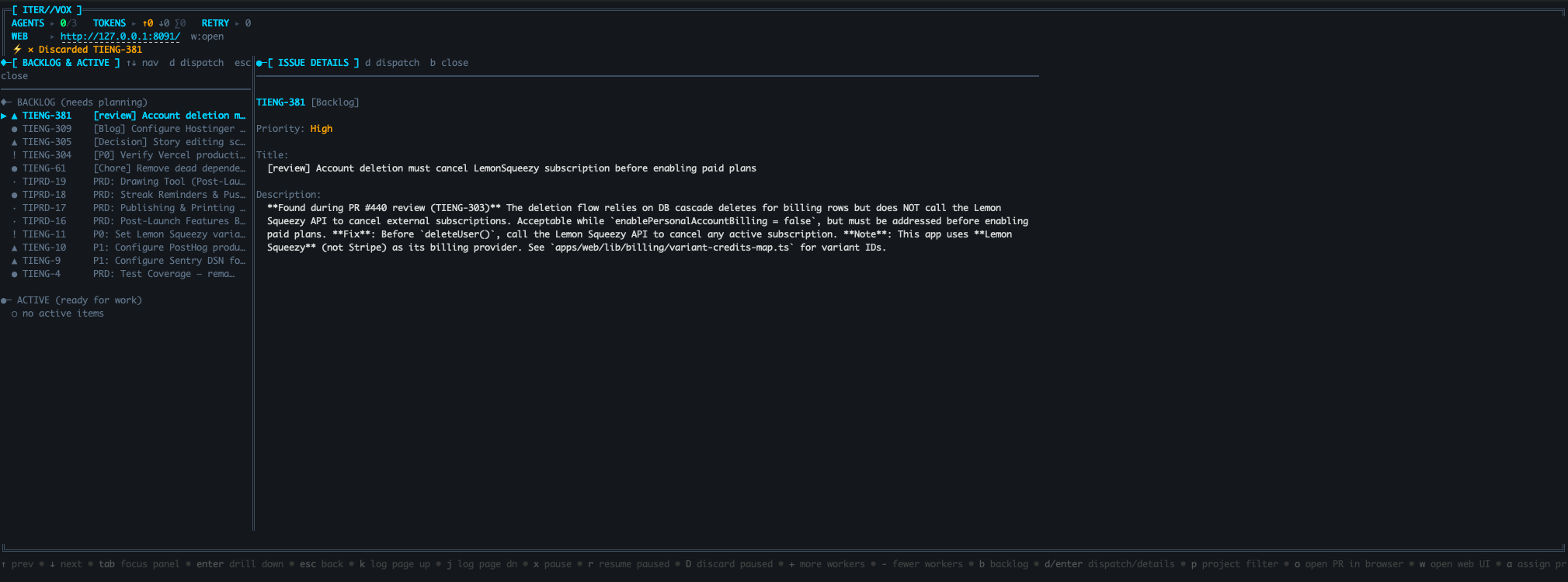 Backlog issue details |
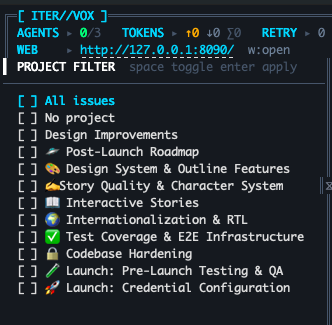 Project picker — press p to switch projects
|
|
Define named agent profiles with their own command, backend, and operating instructions. Different issue types get different profiles — a senior reviewer for security work, a fast haiku model for typo fixes, a Codex long-horizon runner for research.
Since v0.2.0, profile content lives in file-backed agents under .itervox/agents/<name>/:
.itervox/agents/
  implementer/
    SOUL.md          # compact identity — who this agent is, what it values
    INSTRUCTIONS.md  # full operating rules, checklists, Liquid template
  reviewer/
    SOUL.md
    INSTRUCTIONS.md
WORKFLOW.md (itervox_schema_version: 2) references these via agent.profiles.<name>.soul_file and instructions_file. Reference issue data with {{ issue.identifier }}, {{ issue.title }}, etc. directly in INSTRUCTIONS.md. .itervox/agents/** is checked into git (the patched root .gitignore allows it); .itervox/HEARTBEAT.md, logs, and .env stay ignored.
Migrating from v0.1.x: inline agent.profiles.<name>.prompt is rejected by schema 2. Run itervox init --update --workflow WORKFLOW.md once to extract inline prompts into INSTRUCTIONS.md, generate starter SOUL.md files, patch .gitignore, and stamp itervox_schema_version: 2. The migrator writes WORKFLOW.md.bak next to your workflow; review the result and delete the backup when satisfied. See the Agent Profiles guide for full configuration.
Rate-limit reassignment use case: when a provider rate-limits one profile mid-run, Itervox retries the issue on a different profile — your fleet keeps moving instead of grinding to a halt.
On startup Itervox writes .itervox/HEARTBEAT.md and refreshes it on state changes at a bounded interval. It is a human-readable view of daemon liveness — workflow path, schema version, dashboard URL, capacity, automation queue pressure, dependency audit summary, input-required count, retry count, and last notable error. Useful for ops dashboards and "is the daemon stuck?" diagnostics. The file is gitignored as transient runtime state.
Autonomous, not unsupervised. Agents do the work. You stay in control at every checkpoint.
- AI Code Review. Configure a
reviewer_profileand optionallyauto_reviewto dispatch a second worker for PR review. As of v0.2.0,agent.auto_reviewandworkspace.auto_clearsafely coexist —auto_clearnow fires only on terminal tracker states, so the reviewer gets the implementer's workspace and the clear is deferred until after the reviewer also completes. - Agent asks for help. When an agent needs input it pauses and posts a comment directly on the Linear or GitHub issue. Explicit
<!-- itervox:needs-input -->remains the recommended way for prompts and skills to signal this. Itervox also catches common plain-English blocking questions like final choice or confirmation requests with a deterministic fallback detector, but that fallback is heuristic and English-oriented. If your prompts or skills use non-English wording or unusual phrasing, emit the explicit marker. Reply from the dashboard or from your tracker — the agent picks up your response and resumes automatically in the same session. - Automation helpers stay sandboxed by profile permissions. If an automation should comment, move state, create follow-up issues, or auto-resume a blocked run, enable only the required
allowed_actionson that profile. The daemon issues short-lived action grants per run instead of handing the agent your dashboard API token. - You merge the PR. Agents submit PRs and post a session summary as a comment — they never merge. PR links are auto-commented on the tracker issue.
| Tracker | What you get |
|---|---|
| Linear | GraphQL API, automatic state transitions, project filtering, branch name hints |
| GitHub Issues | Issues + PRs with label-based routing, auto PR detection, PR link comments |
Full setup guides: Linear · GitHub Issues.
When Itervox binds to any non-loopback address (0.0.0.0, a LAN IP), the dashboard and REST API require an Authorization: Bearer <token> header on every request. Set ITERVOX_API_TOKEN in the environment, or Itervox generates an ephemeral token at startup and logs it once. The dashboard captures the token from the URL query (?token=…) on first load and persists it via sessionStorage (or localStorage with the Remember checkbox). GET /health is auth-exempt for load-balancer probes. For trusted-LAN air-gapped setups, set server.allow_unauthenticated_lan: true to bypass auth entirely.
Full guide: itervox.dev/guides/remote-access/.
Set agent.ssh_hosts in WORKFLOW.md and every agent turn runs on a remote machine over SSH. Round-robin dispatch with automatic failover to the next host on connection failure. Combine with NFS, rsync hooks, or per-host git clone to provision workspaces. Works with Docker-on-remote via docker exec inside a before_run hook.
Fleet Logs capture the full subagent tree — parent plus every spawned sub-agent, every tool call — via CLAUDE_CODE_LOG_DIR. Works identically whether the agent ran locally or across the SSH fleet.
# WORKFLOW.md (SSH section)
agent:
  ssh_hosts:
    - build-worker-1.internal
    - build-worker-2.internal:2222
  dispatch_strategy: round-robin  # or: least-loaded
Full reference: itervox.dev/configuration/ (ssh_hosts, dispatch_strategy) and per-profile examples in itervox.dev/guides/agent-profiles/.
Shell scripts run at lifecycle events inside each workspace, via bash -lc.
| Hook | Runs | On failure |
|---|---|---|
after_create |
Once, right after the workspace directory is created | Fatal — aborts the run attempt |
before_run |
Once per worker invocation, before the first agent turn of that attempt | Fatal — aborts the run attempt |
after_run |
After each completed agent turn | Logged and ignored |
before_remove |
Before the workspace is removed (auto_clear or manual clear/remove) |
Logged and ignored |
before_run is intentionally per-attempt, not per-turn, so setup hooks like git reset --hard do not wipe agent progress between turns. On an in-place input_required resume, Itervox skips before_run; if the workspace had to be recreated first, the normal setup hooks run again.
hooks:
  after_create: |
    git clone git@github.com:org/repo.git .
    pnpm install --frozen-lockfile
  before_run: |
    git fetch origin
    git checkout main
    git reset --hard origin/main
  after_run: |
    git status --short
  before_remove: |
    tar -czf ../workspace-backup.tgz .
timeout_ms: 120000# 1. Install
brew tap vnovick/tap && brew install itervox
# 2. Scaffold a WORKFLOW.md from your repo metadata
cd path/to/your/project
itervox init --tracker linear # or: --tracker github
# 3. Store credentials (auto-loaded, gitignored)
mkdir -p .itervox
cat > .itervox/.env <<'EOF'
LINEAR_API_KEY=lin_api_...
# GITHUB_TOKEN=ghp_...
EOF
# 4. Run it
itervox
open http://127.0.0.1:8090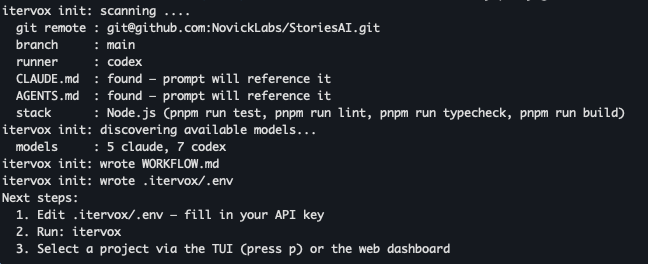
| Command | Description |
|---|---|
itervox |
Start the orchestrator (reads WORKFLOW.md in the current directory) |
itervox init --tracker <linear|github> |
Scaffold a WORKFLOW.md from your repo metadata |
itervox init --template <preset> |
Accepts minimal (default), full, rate-limit-fallback, pr-review, daily-qa; in v0.2.0 every preset emits the same default scaffold (preset-specific scaffolds land in a future release) |
itervox init --update --workflow WORKFLOW.md |
Migrate a v0.1.x workflow to schema 2 (writes WORKFLOW.md.bak) |
itervox doctor |
Preflight: validate WORKFLOW.md, report binary-resolution drift, list built-in profiles, surface any .itervox/STARTUP_ERROR.md |
itervox status |
One-shot daemon status snapshot (capacity, queue pressure, last error) |
itervox stop |
Gracefully stop a running daemon |
itervox action <subcommand> |
Daemon-backed agent actions: comment, comment-pr, merge-pr, create-issue, move-state, provide-input |
itervox clear [IDENTIFIER…] |
Remove workspace directories (all, or specific issues) |
itervox --version |
Print version, commit, and build date |
itervox help |
Show all commands and run-mode flags |
Full CLI reference: itervox.dev/cli/.
One file per project. YAML front matter plus a Liquid prompt template.
---
itervox_schema_version: 2

tracker:
  kind: linear                     # or: github
  api_key: $LINEAR_API_KEY
  project_slug: your-project-slug
  active_states: ["Todo", "In Progress"]
  completion_state: "In Review"

agent:
  command: claude --model claude-opus-4-6
  max_concurrent_agents: 5
  max_turns: 20
  profiles:
    code-reviewer:
      command: claude --model claude-opus-4-6
      soul_file: .itervox/agents/code-reviewer/SOUL.md
      instructions_file: .itervox/agents/code-reviewer/INSTRUCTIONS.md

workspace:
  root: ~/.itervox/workspaces
  auto_clear: true

server:
  port: 8090
---

You are working on {{ issue.identifier }} — {{ issue.title }}.

{{ issue.description }}

Implement the change, run tests, and open a PR.
Profile content lives in companion files. For the code-reviewer profile above:
# .itervox/agents/code-reviewer/SOUL.md
You are a senior code reviewer.
# .itervox/agents/code-reviewer/INSTRUCTIONS.md
## Workflow
- Focus on correctness and test coverage.
- Flag race conditions, missing error handling, and security issues.
- Group findings by severity (Critical / Important / Minor).itervox init scaffolds these files automatically. .itervox/agents/** is committable to git; runtime files like .itervox/.env and .itervox/HEARTBEAT.md stay ignored.
The prompt template has access to issue.* fields (identifier, title, description, state, priority, labels, blocked_by, …) and the attempt counter on retries.
Full field reference: itervox.dev/configuration/.
workspace.auto_clear: true was redefined in v0.2.0 to fire only when the issue reaches a terminal tracker state (completion_state after success, or failed_state after retries are exhausted). The workspace persists across retries, input-required pauses, and pipeline mid-states — so chained profiles can share .itervox/handoff/ files on the same branch, and auto_clear now safely coexists with agent.auto_review (the clear is deferred until the reviewer also completes).
Itervox is a single static Go binary that runs a continuous orchestration loop.
  WORKFLOW.md ──▶ Orchestrator (single-goroutine state machine)
                    │
                    ├─ every poll_interval_ms:
                    │    reconcile running sessions · fetch candidate issues
                    │    render Liquid prompt · spawn claude / codex subprocess
                    │
                    └─ per-issue worker goroutines stream stream-json events
                       back into the event loop. No locks on the hot path.
Key design decisions:
- Single-goroutine state machine. All orchestrator state mutations happen in one goroutine. Workers communicate back via a buffered event channel — no locks on the hot path.
- New subprocess per turn. Claude Code uses
--resume <session-id>for continuity instead of a persistent app-server process. Conversation history lives server-side. - Isolated workspaces. Each issue gets its own directory under
workspace.root. Path containment is enforced viafilepath.EvalSymlinksbefore every launch — symlink escapes are rejected at runtime. - Live config reload.
WORKFLOW.mdis watched with a 1-second content-hash poller. Config changes hot-reload without restarting in-flight sessions. - Embedded dashboard. The Vite/React bundle is embedded into the Go binary. No sidecar process, no Docker.
Itervox is designed for high-trust local environments:
- Claude runs with
--dangerously-skip-permissions. Only run against code you trust. - API tokens are never logged. Use
$ENV_VARreferences in config; values are resolved at runtime. - The HTTP server binds
127.0.0.1by default. Optional shared-token API auth for remote access. - Hook scripts run with full shell access in the workspace directory. Treat them as trusted code.
- SSH workers use standard host key verification via
~/.ssh/known_hosts.
| Surface | macOS | Linux | Windows |
|---|---|---|---|
| Orchestrator + web dashboard | Supported | Supported | Unsupported (use WSL2) |
| TUI | Supported | Supported | Unsupported (use WSL2) |
| Local agent execution | Supported | Supported | Unsupported (use WSL2) |
| SSH worker hosts | Supported | Supported | Unsupported (use WSL2) |
Windows is unsupported: Itervox relies on a POSIX shell for hooks and uses worktree paths that do not translate cleanly to Windows. Use WSL2, or run Itervox against Linux/macOS workers.
See CONTRIBUTING.md for the dev loop, the make targets, the web dashboard HMR workflow, the QA lanes, and the pre-commit hook policy. The project uses make verify as the main CI-equivalent gate (fmt, vet, lint, Go tests with -race, web coverage/build, web-spelling, size-budget, and no-os-exit), with make qa-current covering the current-functionality Playwright baseline. Before tagging a release, run make release-check after committing release changes; it adds govulncheck, goreleaser check, and the GoReleaser hook dirty-worktree guard.
Bug reports, feature requests, and PRs are welcome. Join the Discord to show your WORKFLOW.md, ask questions, or propose ideas.
If Itervox saves you time, please consider sponsoring development: github.com/sponsors/vnovick. Sponsorships fund new agent backends, tracker integrations, and operator tooling.
Apache 2.0. See LICENSE.