This plugin helps with managing colorschemes in vim. It does not contain any actual vim colorschemes - for those you can install a separate plugin (listed below).
With this plugin installed you can:
- Cycle through available colour schemes
- Set a default colour scheme
- Save a group of favourite colour schemes
- Set different colour schemes for different filetypes
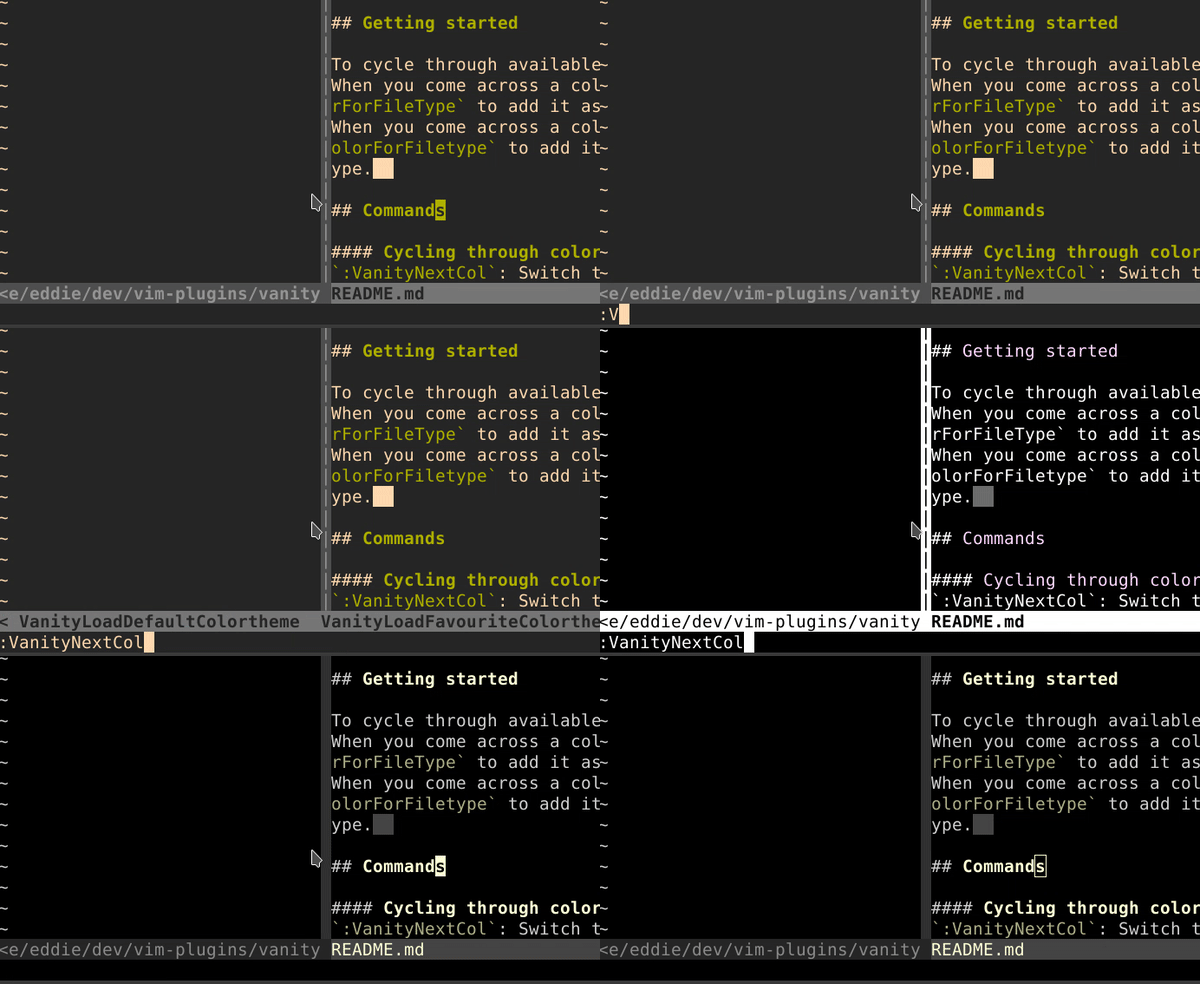
vanitu.mp4
You will need to have vim 8+ and some colourschemes (e.g: https://github.com/flazz/vim-colorschemes) installed to get the most out of this plugin.
It is also recommended that you install a syntax plugin such as polygot
For a more detailed explanation and for more installation options see Detailed Installation
call vundle#begin()
Plugin 'whatever555/vanity'
call vundle#end()Start by adding vanity, polygot and some colorschemes to your .~/.vimrc file using vim plugins.
Plugin 'whatever555/vanity'
Plugin 'sheerun/vim-polyglot'
Plugin 'flazz/vim-colorschemes'
Then run :PluginInstall and you should now have a colorscheme setup for vim
To cycle through available color schemes run :VanityNextCol.
When you come across a colour scheme you LIKE run :VanitySaveFavColorForFileType to add it as a favourite.
When you come across a colour scheme you LOVE run :VanitySetDefaultColorForFiletype to add it as the default colour scheme for that filetype.
:VanityNextCol: Switch to next color scheme
:VanityPrevCol: Switch to previous color scheme
:VanityRandomCol: Switch to a random color scheme
:VanitySetDefaultColor: Set default color scheme for all file types
:VanitySetDefaultColorForFiletype: Set default color scheme for current file type
:VanitySaveFavColor: Save a favourite colourscheme (for all filetypes)
:VanitySaveFavColorForFileType: Save a favourite colourscheme (for crrent filetype)
:VanityCycleAll: Set current list of cyclable colorschemes to all available
:VanityCycleFavourites: Set current list of cyclable colorschemes to favourites only (for all filetypes)
:VanityCycleFavouritesForFiletype: Set current list of cyclable colorschemes to favourites only (for current filetype only)
:VanityLoadDefaultColorscheme: Set colourscheme to default (for current filetype if set, otherwise it will set to 'allFiles' default type)
Default colorschemes are saved to ~/.vim/Vanity/default
Favourite colorschemes are saved to ~/.vim/Vanity/favouriteColorSchemes
You can also set these in your .vimrc file by changing the g:vanity_default_colors and g:vanity_favourite_colors variables.
eg:
let g:vanity_default_colors = {'javascript': 'xterm16', 'text': 'wwdc17'}

let g:vanity_favourite_colors = {
    'javascript': ['deus', 'solarized', 'vcbc'],
    'python': ['solarized'],
    'vim': ['c64']
}
To set a default or favourite colorscheme for all filetypes you can use the 'allFiles' key. eg:
let g:vanity_default_colors = {'allFiles': 'deus'}

let g:vanity_favourite_colors = {
    'allFiles': ['deus', 'solarized', 'vcbc'],
}
and for files with no filetypes you can just use '' as they key.
eg:
let g:vanity_default_colors = {'': 'xterm16'}

let g:vanity_favourite_colors = {
    '': ['deus', 'solarized', 'vcbc'],
    'python': ['solarized'],
    'vim': ['c64']
}
There are no mapped keys but you can add this to your .vimrc file to enable colorscheme cycling with PageUp and PageDown keys
nnoremap <PageDown> :VanityPrevCol<CR>
nnoremap <PageUp> :VanityNextCol<CR>
:help vanity

If you are using VIM version 8 or higher you can use its built-in package management; see :help packages for more information. Just run these commands in your terminal:
git clone https://github.com/whatever555/vanity.git ~/.vim/pack/vendor/start/vanity
vim -u NONE -c "helptags ~/.vim/pack/vendor/start/vanity/doc" -c q
Or you can use the following:
In the terminal,
git clone https://github.com/whatever555/vanity.git ~/.vim/bundle/vanityIn your vimrc,
call pathogen#infect()
syntax on
filetype plugin indent on
Then reload vim, run :helptags ~/.vim/bundle/vanity/doc/ or :Helptags.
call vundle#begin()
Plugin 'whatever555/vanity'
call vundle#end()call plug#begin()
Plug 'whatever555/vanity'
call plug#end()call dein#begin()
call dein#add('whatever555/vanity')
call dein#end()apt-vim install -y https://github.com/whatever555/vanity.githttps://github.com/flazz/vim-colorschemes
https://vimawesome.com/plugin/awesome-vim-colorschemes
https://vimawesome.com/plugin/vim-colorschemes-sweeter-than-fiction
https://github.com/mcchrish/vim-no-color-collections
https://github.com/rainglow/vim
https://github.com/nightsense/vimspectr
https://github.com/chriskempson/base16-vim
https://github.com/mswift42/vim-themes
https://github.com/mkarmona/colorsbox